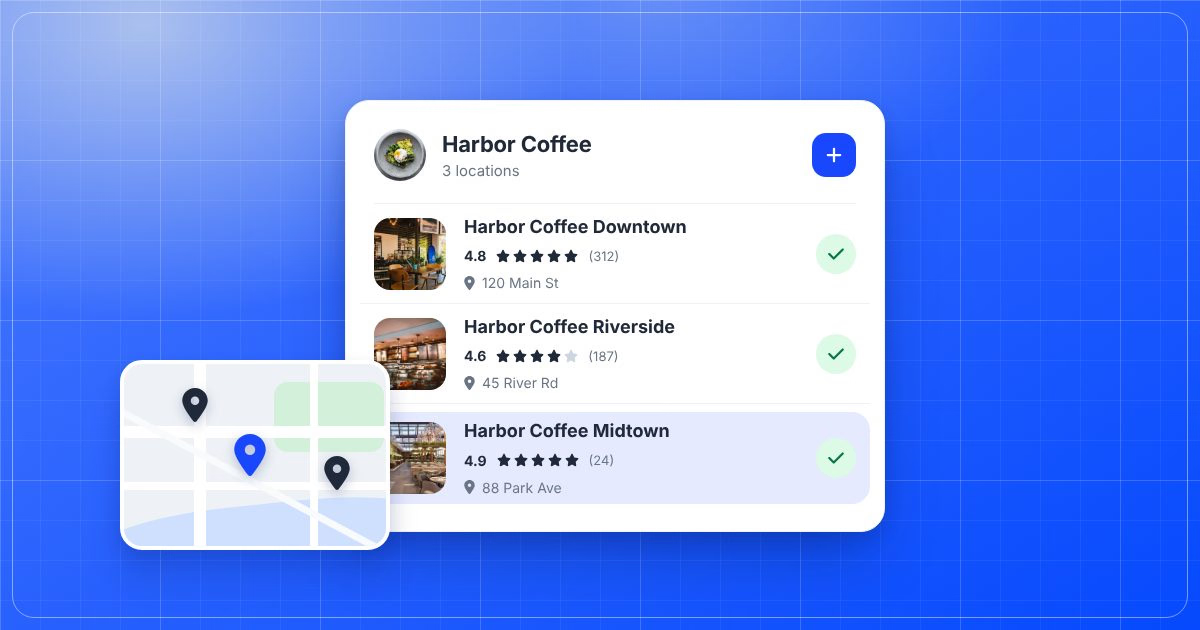


Your brand can rank in the top three for “dentist near me” next to one clinic and not appear at all two neighborhoods away. Google ranks each location on its own, for the people searching near it. That is why local SEO for multiple locations is a different job from local SEO for one shop.
This guide is the system for multi-location SEO. It shows how Google decides which of your locations appears, then walks through seven steps that make every branch visible, not just the brand. If you are comparing tools rather than looking for a method, start with our multi-location SEO software.
It is written for the marketing or operations lead who owns local search for a dental group, a restaurant chain, a gym brand or a home services company. Agencies and franchise teams who run local search for those brands will find the same playbook useful.
What is multi-location SEO?
Multi-location SEO is the work of making every location of a business visible in local search, not just the brand. Each location gets one verified Google Business Profile, consistent business data, its own page on your website, steady reviews and its own rank tracking, all run as one system.
The tactics are the same ones a single shop uses. The difference is scale and coordination. With one location, the owner logs in and fixes things by hand. With 40 locations, a wrong holiday hour or an unanswered review is happening somewhere every week, and nobody notices until a branch goes quiet.
So the real question in multi-location SEO is not “what should we do?” but “how do we do it at every location, every week, without losing track?” The rest of this guide answers both.
How Google ranks each of your locations
Google’s help page on how to improve your local ranking names three factors: relevance, distance and prominence. Its summary line now calls the third one popularity. Google also states that there is no way to request or pay for a better local ranking.
Here is what each factor means when you have many locations:
- Relevance is how well a profile matches what someone searches for. Google asks for complete and detailed business information, so a location with a thin profile loses to a nearby competitor with a full one.
- Distance is how far each business is from the person searching. This is the factor that makes multi-location SEO different: every location competes mainly for searchers near it, and your other branches cannot help it there.
- Prominence is how well known a business is. Google says this draws on information such as links to your business and how many reviews you have, and that more reviews and positive ratings can help local ranking.
The consequence is simple. Your brand does not have one local rank; every location has its own, and it changes with where the searcher stands. A rank check run from head office tells you how the branch closest to head office performs, and nothing about the others.
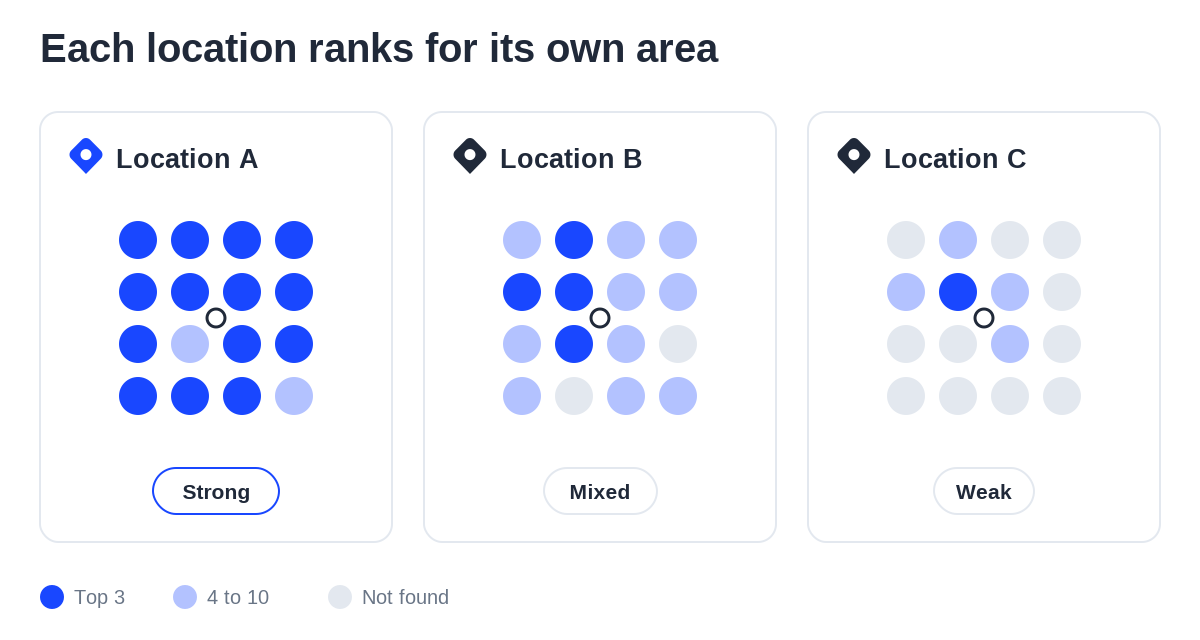
That is why the steps below work location by location, and why the last step measures each branch on its own. For the ranking side of the map pack in more depth, read our guide to Google Maps SEO.
A 7-step plan for local SEO for multiple locations
Here is the whole SEO strategy for multiple locations in one list. Each step has its own section below.
- Give every real location one verified Google Business Profile.
- Keep each location’s data identical everywhere it appears.
- Build one real page per location on your website.
- Target keywords per location without competing with yourself.
- Earn and answer reviews at every location.
- Keep every profile active and up to date.
- Measure rank and results per location.
Steps 1 to 3 are the foundation and are mostly done once. Steps 4 to 7 are the weekly and monthly work that decides which branches win.
Step 1: Give every real location one verified Google Business Profile
The Google Business Profile (formerly Google My Business) is what appears in the map pack, so each location needs its own. Google’s guidelines for representing your business set the rules:
- Eligibility. A business can have a profile if it has a physical location that customers can visit, or if it travels to customers where they are.
- One profile per location. Google says not to create more than one profile for each location of your business. Its page on duplicate profiles adds that a profile treated as a duplicate will not show on Google Search or Maps.
- Service-area locations. A business that travels to customers and has no storefront should hide its address. If you have several service locations, each with its own service area and its own staff, you are allowed one profile for each.
- The name. Use the real-world name customers see on the storefront and the website. Google’s rules for chains ask for the same name and the same category at every location that offers the same main business, unless the real-world name truly varies.
Adding the city or a keyword to the business name is not a ranking tactic. It breaks the name rule and puts the profile at risk of suspension.
For the steps to add each new location, from a second branch to bulk upload and bulk verification, see our guide on how to add multiple locations to Google Business Profile.
Once the profiles exist, organize them. Google’s business groups work like a shared folder for profiles, so co-workers get access without sharing one login. Our guide to Google Business Profile groups shows how to set them up.
For 10 or more locations of the same business, Google offers a bulk upload spreadsheet and bulk verification, with eligibility rules on its own page. For the daily routine after setup, see how to manage multiple Google Business Profiles.
Step 2: Keep each location’s data identical everywhere
Every location has a short list of facts that must match wherever it appears: the business name, address, phone number, hours, primary category and website link. They appear on Google, on your own location page, on Apple Maps, Bing Places and Yelp, and in the directories that matter in your industry.
Inconsistent data confuses customers first. A searcher who sees one phone number on Google and another on Yelp does not know which one works, and a wrong set of hours sends people to a closed door.
The fix is one master record per location. Keep a single source of truth (a spreadsheet or a platform) with the correct values for every branch, update it first, and push changes out from there. Our page on Google Business Profile listings management shows how this looks when the master record lives in one tool.
Then work through the other directories one location at a time, starting with the ones your customers use. Fix the location page on your own site in the same pass, because it should match the profile word for word.
Protect the data you fixed
Getting the data right once is not enough. Anyone can suggest a change to a public profile, and Google can update details from other sources. Across 50 locations, a changed category or a new set of hours can sit unnoticed for weeks.
Review your profiles for suggested edits on a fixed schedule, accept the ones that are correct and reject the rest. When a change applies to many locations, such as a new phone system or a category correction, edit Google Business Profiles in bulk rather than one by one, so no branch is missed.
Step 3: Build one real page per location
Each location needs one page on your own domain, and each profile’s website field should point to that page, not to your homepage. The page backs up the profile in organic results and gives a searcher who clicks the website link the details of the branch they were looking at.
A useful location page carries things only that location has:
- the address, a map, the phone number and the hours, matching the profile exactly
- the staff or the team who work there
- parking, entrances, accessibility and nearby landmarks
- the services this branch offers, and any it does not
- real photos of the building and the people
- reviews or quotes from customers of that branch
Google’s spam policies name doorway abuse, and one of its examples is having multiple pages targeted at specific regions or cities that funnel users to one page. Read the doorway section of Google’s spam policies before you build anything at scale. A page for a city where you have no location, with the city name swapped into a template, is not a location page.
On the technical side, Google supports LocalBusiness structured data for describing each location, with properties such as the address, opening hours and coordinates. Our guide to local business schema for multiple locations covers the markup and how to structure it across branches.
Service pages for multiple locations
Service pages follow the same rule. If every branch offers the same service, one strong service page on the main site is usually better than a copy per city. Link it from each location page, and let each location page say how that branch delivers the service.
Write a location-specific service page only when the service really differs by location, for example a clinic that offers a treatment at two of its ten branches. Franchise networks face the same decision with owners who want their own pages, which our guide to local SEO for franchises covers in detail.
Step 4: Target keywords per location without competing with yourself
Keyword targeting for a location starts in its Google Business Profile: the primary category, the secondary categories and the services you list. Pick the category that describes the main business, keep it the same across locations that do the same thing, and list the services each branch actually provides.
On your website, each location page targets the service plus the place customers use to describe it: the neighborhood, the district or the nearby landmark, not only the city name. A local keyword research pass per market shows which place names people actually type.
For service-area locations, the service area itself is part of the targeting. Set each area to the places that branch really serves and keep it within the limits Google sets for service areas.
Two locations in one city
Two branches in one city worry many brands, but distance usually sorts them out. Google favors the business closest to the searcher, so each branch tends to win its own part of town if both are set up well.
Problems start when the two locations look like one. Make sure each has:
- its own profile at its own address, never a second profile for the same location
- its own location page, written around its own neighborhood and landmarks
- its own service area, if your staff travel to customers, with separate staff at each location
- its own reviews, photos and posts, so each profile shows real activity
Do not give the two branches different primary categories just to split the keywords. Google’s chain rules expect the same category for locations that offer the same main business. Different categories make sense only when the branches really do different things, such as one with an emergency service the other does not offer.
Step 5: Earn and answer reviews at every location
Reviews feed prominence, and Google says more reviews and positive ratings can help a business’s local ranking. They are also the first thing a customer compares between your branch and the one down the road.
Look at reviews per location, not as a brand average. A 4.7 average can hide a branch at 3.9 with no new review in three months. For each location, track the rating, the number of new reviews each month and the share of reviews that got a reply.
Ask every customer, in the same way, at every location. Google’s policy for user contributions does not allow offering incentives such as discounts or free goods for reviews, and it does not allow discouraging negative reviews or selectively asking only happy customers. Read the prohibited and restricted content policy before you set up any review request flow.
Reply to every review, positive and negative, and decide who does it. Our guide to Google reviews for multiple locations covers the routing, the reply standards and how to keep up when volume grows.
Step 6: Keep every profile active
A profile with old hours, no recent photos and nothing new for months tells customers little about the branch today. Keep the details current at every location:
- Hours and special hours. Set holiday and special hours ahead of time for every location they apply to, and update regular hours the day they change.
- Photos. Add real photos of each branch: the outside, so people recognize it, the inside, the team and the products.
- Posts. Publish offers, events and news to the locations they apply to.
Much of this content is shared across branches. A holiday schedule, a seasonal offer or a new service usually applies to a whole region or the whole brand. Do that work once and push it to all the profiles it applies to, with one bulk edit, and save the per-location effort for photos and local news.
Step 7: Measure rank and results per location
You cannot manage what you measure as one brand-level number. Measure two things for every location: where it ranks, and what customers do on its profile.
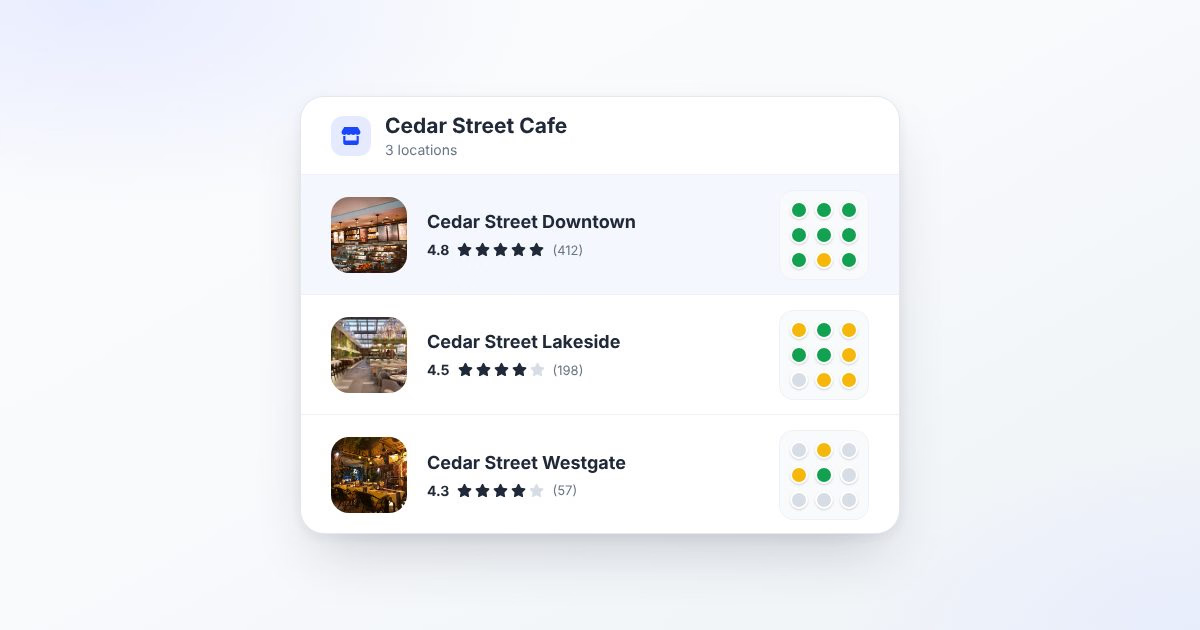
For rank, use grid tracking. A grid runs the same keyword search from many points around a location. A 5x5 grid, for example, checks 25 points, so you see where the branch is in the top three, where it slips down the first page and where it does not appear at all. Our guide to choosing a local rank tracker compares the approaches.

For results, track each profile’s performance data: searches and views, calls, website clicks and direction requests. Rank tells you whether a branch is visible; these actions tell you whether visibility turns into customers.
Report by location and by region. One table with a row per location, sorted by the metric that matters most to you, shows the weakest branches at a glance. Our guide to local SEO reporting covers what to include and how often to send it.
Who owns what
Multi-location SEO fails most often because nobody owns a task at a given branch. Decide it up front and write it down.
| Task | Central team | Local manager | Agency (if any) |
|---|---|---|---|
| Name, categories, website links | Owns and locks | Requests changes | Advises |
| Hours and special hours | Sets brand-wide hours | Reports local changes | Not usually |
| Location page content | Owns template and standards | Supplies local details and photos | Writes or edits |
| Review replies | Sets standards, handles escalations | Replies or flags | Can reply under the brand’s rules |
| Photos and local posts | Approves | Creates | Can support |
| Rank and performance reporting | Owns | Reads their own location | Often prepares |
The central team should own anything that has to be identical everywhere: names, categories, website links and the review policy. Local managers know their branch best and should feed in the details that make each location page and profile real.
Franchise networks add one more layer, because each owner may want control of their own profile. The same split works, with the brand owning the standards and the franchisee owning local activity; our franchise SEO software page shows how that looks in practice.
Agency or in-house?
An agency brings strategy, content writing, local link building and an outside view. It costs a fee and still needs someone inside the business to supply the local details, approve changes and answer for each branch.
An in-house team knows the locations, can act the same day and keeps the knowledge. Its limit is time: the repeat work across many profiles grows with every new location.
Many brands combine the two. They keep the standards and the reporting in-house, use a platform for the repeat work across locations, and bring in an agency for projects such as a site rebuild or a content program. There is no single right price for local SEO; compare proposals on the work included and the number of locations covered.
Multi-location SEO checklist
Use this cadence as a starting point and adjust it to your size. Pair it with a full local SEO audit checklist once a quarter.
| Frequency | Tasks |
|---|---|
| Weekly | Reply to every new review at every location. Check for suggested edits and unwanted changes. Update hours that changed this week. |
| Monthly | Review rank grids and profile performance for each location. Publish posts where you have news or offers. Add new photos to the locations that have none recent. Compare review volume and rating by location. |
| Quarterly | Audit every profile for missing or wrong information. Check the main directories for each location. Review every location page against its profile. Set special hours for the next quarter’s holidays. Revisit who owns each task. |
Where software fits
Everything above can be done by hand for a handful of locations. Past that point, the weekly tasks are what slip. This is the work Localith is built to run from one place, for profiles you have already created and verified on Google. Localith does not create or verify profiles, and it does not edit other directories.
- Bulk edits. Change one field, such as hours, special hours, categories or the website link, across selected locations at once, or download your listings as a spreadsheet, edit them and upload the file. Edits can be scheduled, such as holiday hours, and an edit tracker records each one.

- Protector. Localith declines unauthorized updates and suggested edits, and on a scan period you choose it restores the values saved in Localith. You can switch it on for one listing or for every connected listing, and every edit and auto-declined change is logged.
- Local search grid per location. Track up to five keywords per report on a 3x3, 5x5 or 7x7 grid, with a scan radius of 5 to 25 miles, refreshed weekly or monthly, plus a table of the competitors that rank in that area.
- Profile audit and location actions. One report across all connected profiles shows missing information and fields that need improvement, along with critical reviews and locations marked as not verified.
- Local citations. Localith compares each location’s Google data with Apple Maps, Yelp and Bing Places and flags mismatches, so you know which directory to fix.
- Review replies and reports. Set up reply automation for the accounts and locations you choose, follow review analytics, and export performance and review reports.
- Team access. Give people Admin or Editor access, and limit Editors to specific listings and actions.

The strategy stays yours. The software makes sure it happens at every location, not only at the ones someone remembered this week.
Conclusion: Rank every location, not just the brand
Multi-location SEO is local SEO done at every location and run as one system. Google ranks each branch on relevance, distance and prominence, so each needs its own verified profile, its own page, consistent data, steady reviews and its own rank tracking.
Start with the foundation, assign owners, then keep the weekly and monthly cadence. When the repeat work outgrows your team, run it from one platform.
Want to compare plans first? See Localith pricing.

Run every Google Business Profile from one operating dashboard. Localith centralizes listings, reviews, posts, and analytics so your team can manage every location without jumping profile to profile.
Start free trial