Built for teams with 10+ locations
Google Business Profile management software for multi-location teams
Change hours, publish posts and answer reviews on every location from one simple dashboard. Built for brands, franchises and agencies.
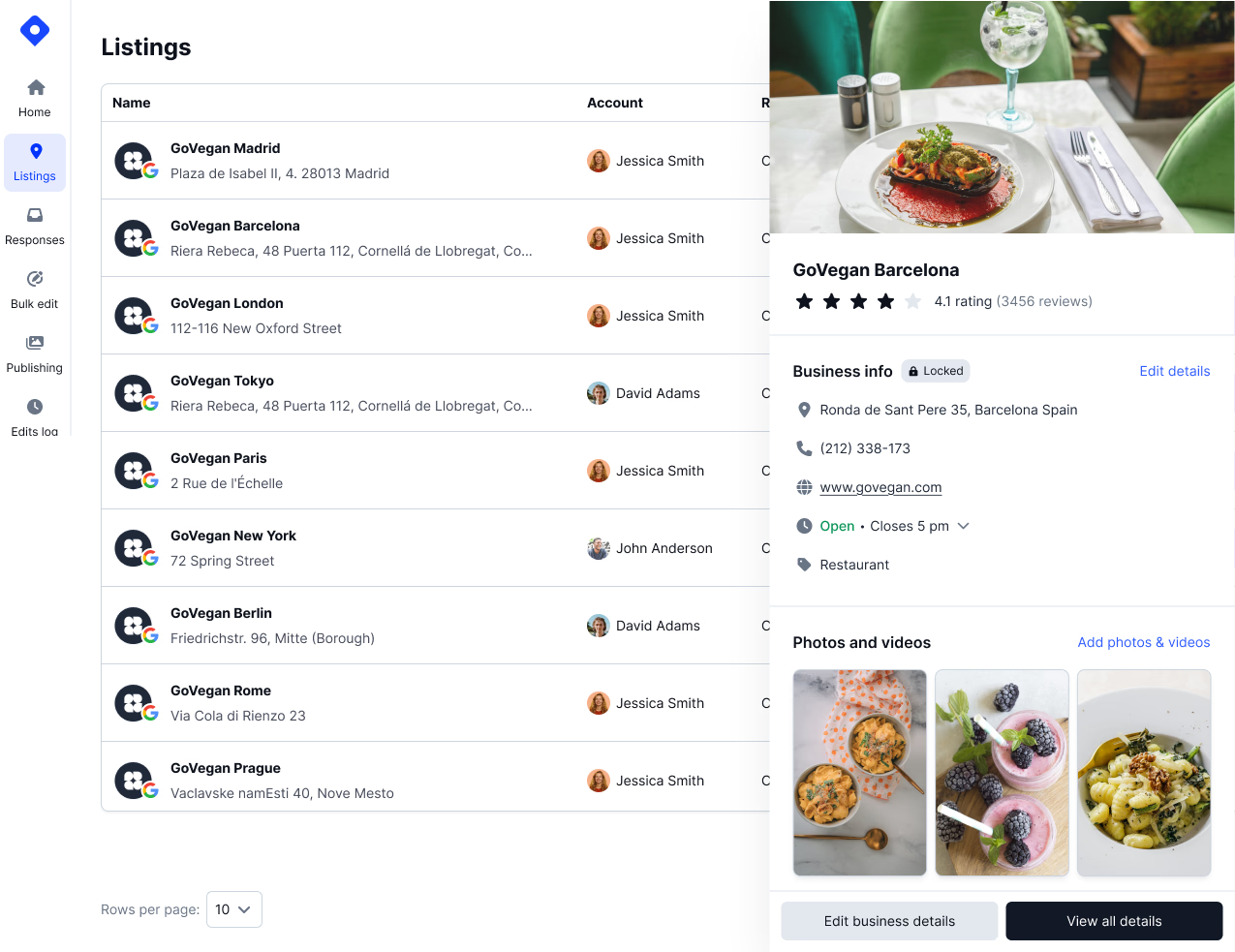
Change hours, publish posts and answer reviews on every location from one simple dashboard. Built for brands, franchises and agencies.



100+ brands trust Localith
Google Business Profile management software lets one team update, monitor and report on many Google Business Profiles from a single dashboard, instead of signing in to each profile. Localith is GBP management software for brands, franchises and agencies with 10 or more locations. It edits business info in bulk, publishes one post to every location, auto-responds to reviews with AI you can approve first, and shows where each location ranks on local SEO heatmaps.
Localith is not for single-location businesses. If you have one profile, Google's free Business Profile Manager does the job, and our Google Business Profile management best practices guide shows you how to run it by hand.
Marketing and operations teams that keep hours, categories and reviews right across every store, clinic or office, starting with local listing management and growing into multi-location SEO.
Corporate sets the standard once and pushes it to every franchisee's profile, while managers only see their own locations. More on franchise GBP management.
One workspace for every client's Google Business Profiles, with reports you can hand over each month. See the setup for agencies.
Pick the locations, change the field once and apply it to all of them. Holiday hours, categories, attributes and descriptions update across 10 or 500 profiles from one form, or from a CSV when every location needs a different value. Read how bulk updates work.

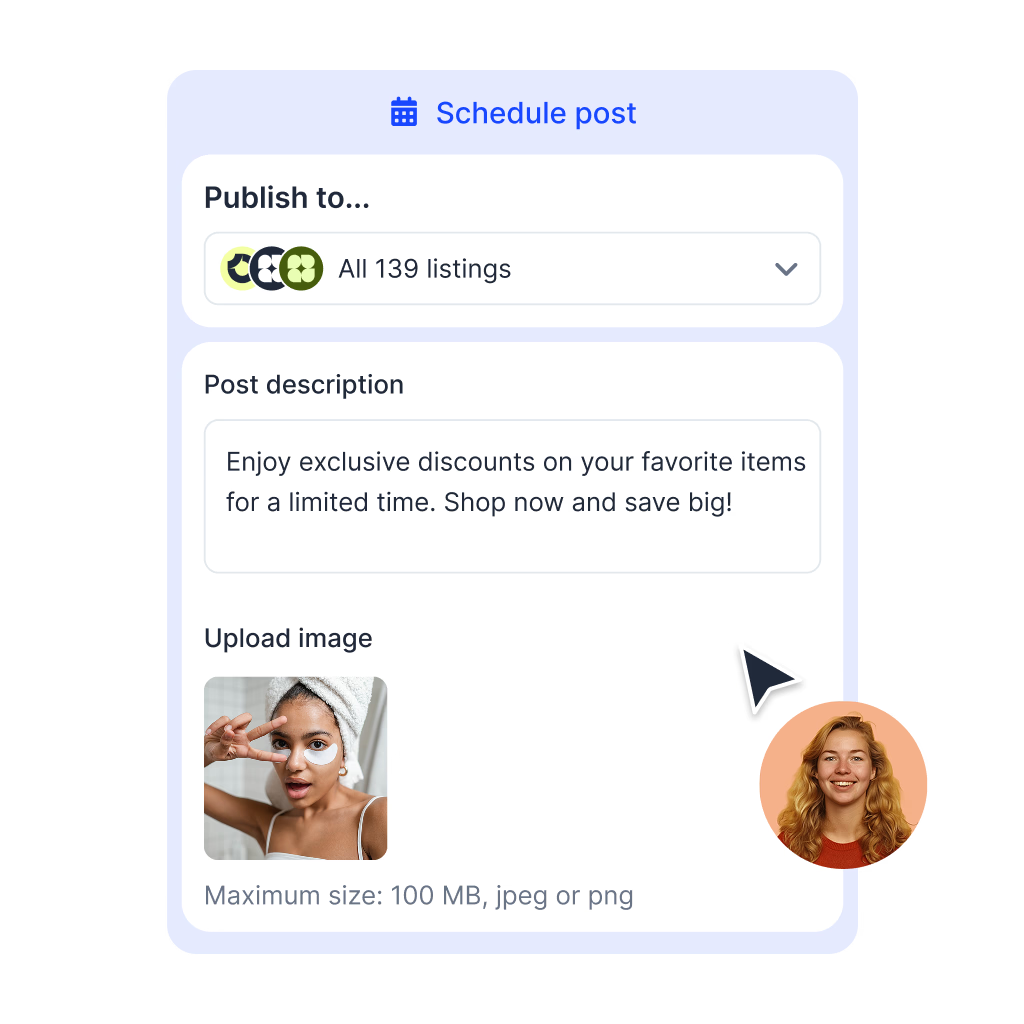
Write the post once, choose the locations and publish now or on a schedule. Smart Parameters fill in each location's name, phone and website, so one update reads as local on every profile. Plan the calendar with the Google posts scheduler and push photos through bulk publishing.
The AI Reply Agent drafts a reply to each new Google review in your brand tone and the reviewer's language. Set up automations by location and star rating, and switch on "Approve AI-replies before posting" when a person should check every reply first. See the AI review reply agent.

Download GBP performance and review reports as PDF or CSV for any group of locations. Or connect Localith to Claude or ChatGPT through MCP and ask for the report in plain language. Start from a ready-made prompt in the GBP reports library.

A single rank number hides the problem. Local SEO heatmaps show how a location ranks for a keyword across a grid around it, so you see the branch that is top 3 next door and invisible a few miles out. The AI SEO Agent then finds and ranks the profile gaps worth fixing. Explore the local SEO AI agent.

Connect your Google account and every location lands in one list. Group locations by region, brand, franchisee or client, filter to the ones that need work and give each manager access to only their own locations. The multi-location dashboard guide shows the setup.

Google's own suggestions and public edits can overwrite verified details. Localith logs every suggested change for you to accept or decline, and Protector declines unauthorized updates and restores your saved data on the scan schedule you choose. Set it up with the profile protection guide.

Google's own tools work well for one profile. At 50 or 500, the same jobs turn into days of repeat clicks. Teams have spent up to two days changing working hours on hundreds of locations. Now it is one form and one click.
The change every multi-location team makes several times a year.
One form applied to every selected location, or one CSV.
Open each profile and type the same hours again, location by location.
Promotions, events and seasonal updates.
Write once, publish or schedule to all locations with local details filled in.
Copy and paste the post into each profile, then fix the city and phone by hand.
Coverage and speed across all locations.
AI drafts every reply, automations post them, and an approval step is there when you want it.
Someone checks each location's reviews and writes every reply from scratch.
Google suggestions and public edits to verified data.
Every change is logged, and Protector restores your saved data on schedule.
You find out when a customer calls the old number or finds the store closed.
Where each branch shows up in Google Maps.
A heatmap per keyword and location, plus a ranked list of profile fixes.
Manual searches from one spot, which say little about the rest of the area.
Performance for managers, owners and clients.
PDF and CSV reports per location group, or ask Claude or ChatGPT through MCP.
Export each profile's insights and merge the spreadsheets yourself.
Read the full success stories from a franchise, a healthcare training company and an agency.
The franchise team spends 80% less time on Google Business Profile management and sends each Google post to 209 locations in one click. Read the POOP 911 story.
AI drafts every reply and a person approves each one before it posts, across 100+ locations. Read the SureFire CPR story.
The agency runs client profiles, reviews and reports from one workspace without adding headcount. Read the Comunicatio story.
Answers to the questions people search before choosing a GBP management tool.

Connect your locations, make your first bulk edit and set up review auto-responding in the 7-day free trial.
7-day free trial with 100 AI credits. Plans start at $9/mo for two locations.