

If you manage more than one business location, local business schema can either clarify your local footprint or quietly create more confusion. I have seen both happen.
The useful version is simple: every real location gets accurate LocalBusiness schema on the page that represents that location.
The parent brand gets Organization or WebSite schema where it belongs, the two are connected cleanly, and the details match what customers and Google already see in your Google Business Profile, website, and citations.
The messy version is also common: one block of local business schema copied across every page, old phone numbers still sitting in JSON-LD, review markup added where it should not be, and a homepage trying to describe every branch at once.
So, I will show you how I would structure local business schema for multiple locations, which schema types matter, where to place them, and how to keep the data accurate at scale.

Manage Google reviews for all your locations from one dashboard. Centralize replies, automate with AI, and track review trends across every branch.
Start free trialWhat is local business schema?
Local business schema is structured data markup code that describes a business location in a format search engines can read. For local SEO, the standardized vocabulary comes from Schema.org, and the implementation format is JSON-LD.
In plain English, local business schema tells search engines:
- What the business is called
- What type of business it is
- Where it is located
- How customers can contact it
- When it is open
- Which page represents that location
- How the location relates to the larger brand
For a single-location business, the setup is usually straightforward.
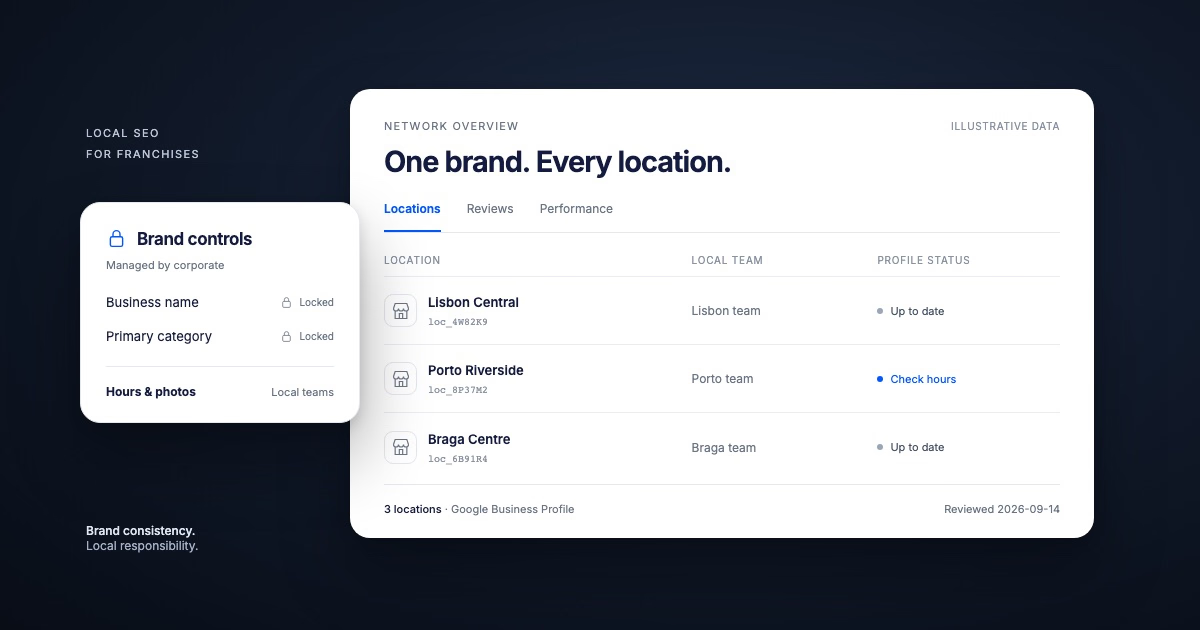
For a multi-location business, the important part is separation. Each branch needs its own location page and its own location-specific schema.
The parent brand should not be treated as if it lives at every address, and every branch should not inherit the same generic markup.
The keyword to remember is accuracy.
Local business schema does not replace your website content, Google Business Profile, or citations. It reinforces them when they all say the same thing. If you already manage multiple Google Business Profiles, schema is what carries that same accuracy over into search.
What kinds of local business schema markup can you use?
There is no single schema type that solves every local SEO problem.
In practice, business owners can use a small set of schema types together, depending on the business model, site structure, and location page content:
LocalBusiness schema
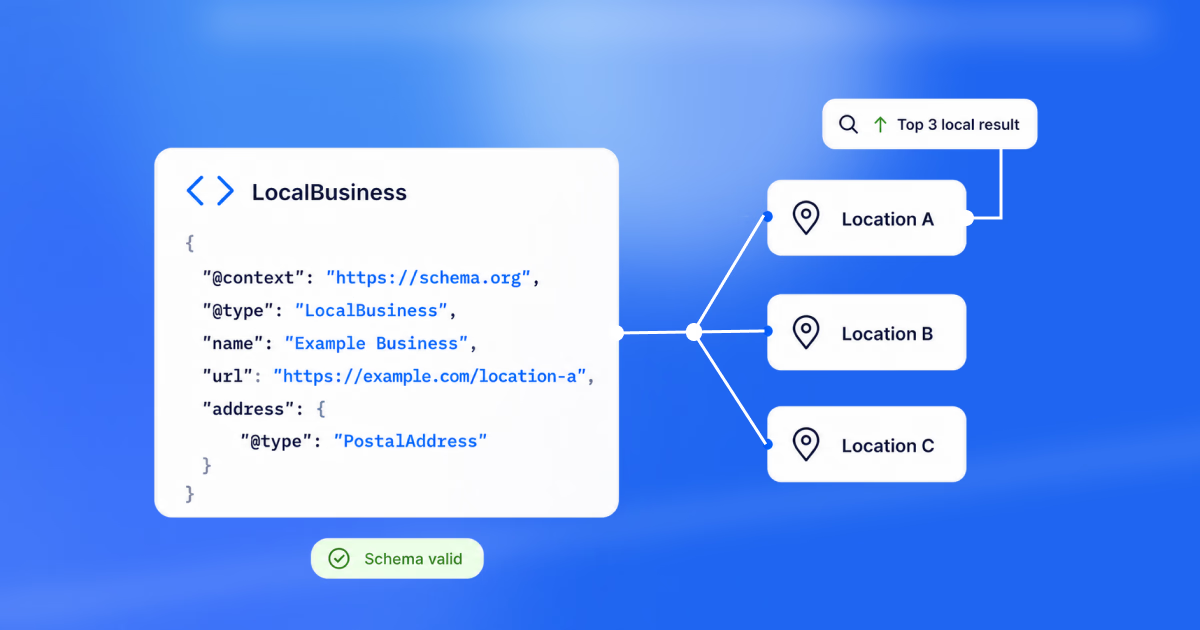
LocalBusiness is the core schema type for a physical business location or a local service business. If there is a real branch, office, clinic, restaurant, store, showroom, or service-area location, this is usually the base type.
When possible, choose a more specific subtype instead of stopping at LocalBusiness. A restaurant chain can use Restaurant. A dental group can use Dentist. A hotel brand can use Hotel. The more specific, the better search engines understand your location(s).
Here is a sample of this schema type:
{
  "@context": "https://schema.org",
  "@type": "Restaurant",
  "@id": "https://example.com/locations/austin/#localbusiness",
  "name": "Example Pizza (Austin)",
  "url": "https://example.com/locations/austin/",
  "telephone": "+1-512-555-0198",
  "address": {
    "@type": "PostalAddress",
    "streetAddress": "1200 Congress Ave",
    "addressLocality": "Austin",
    "addressRegion": "TX",
    "postalCode": "78701",
    "addressCountry": "US"
  }
}
Organization schema
Organization schema describes the parent entity: the company, franchise brand, group, agency, or corporate owner. You usually place this on the homepage or about page, then connect individual locations back to it using stable @id values.
Here is a sample of this schema type:
{
  "@context": "https://schema.org",
  "@type": "Organization",
  "@id": "https://example.com/#organization",
  "name": "Example Pizza",
  "url": "https://example.com/",
  "logo": "https://example.com/logo.png"
}
Local business vs organization schema
Use Organization schema for the brand.
Use LocalBusiness schema for each real-world location.
The distinction matters because the homepage usually represents the company as a whole, while a location page represents one branch with one address, one phone number, one set of hours, and one local URL.
Place schema
Place is a broader schema type for a physical place. LocalBusiness is already a more specific kind of Place, so you should rarely use Place by itself for a business location. It can be useful when marking up a venue, landmark, or parent place that contains departments or businesses.
Here is a sample of this schema type:
{
  "@type": "Place",
  "name": "Example Medical Center",
  "address": {
    "@type": "PostalAddress",
    "streetAddress": "500 Health Way",
    "addressLocality": "Denver",
    "addressRegion": "CO"
  }
}
PostalAddress schema
PostalAddress is nested inside LocalBusiness, Organization, or Place schema. It is where you define the actual address fields. Keep this aligned with your Google Business Profile and location page copy.
Here is a sample of this schema type:
"address": {
  "@type": "PostalAddress",
  "streetAddress": "500 Health Way Suite 200",
  "addressLocality": "Denver",
  "addressRegion": "CO",
  "postalCode": "80202",
  "addressCountry": "US"
}
GeoCoordinates schema
GeoCoordinates gives search engines latitude and longitude for the location. I include it when the data is reliable, especially for businesses with multiple branches in the same city or service areas near each other.
Here is a sample of this schema type:
"geo": {
  "@type": "GeoCoordinates",
  "latitude": 39.7392,
  "longitude": -104.9903
}
OpeningHoursSpecification schema
OpeningHoursSpecification defines business hours in a structured format. This is one of the fields that breaks most often because holiday hours, seasonal hours, and temporary closures change.
Here is a sample of this schema type:
"openingHoursSpecification": [
  {
    "@type": "OpeningHoursSpecification",
    "dayOfWeek": ["Monday", "Tuesday", "Wednesday", "Thursday", "Friday"],
    "opens": "09:00",
    "closes": "18:00"
  }
]
Service schema
Service schema helps describe what a location offers. I do not use it as a substitute for good service content on the page. I use it to reinforce services that are already visible in the body copy.
Here is a sample of this schema type:
"makesOffer": {
  "@type": "Offer",
  "itemOffered": {
    "@type": "Service",
    "name": "Emergency plumbing repair"
  }
}
Department schema
Department schema can help when one physical location contains distinct departments with different names, phone numbers, hours, or booking flows. Think hospital departments, auto dealership departments, university offices, or large retail departments.
Here is a sample of this schema type:
"department": {
  "@type": "LocalBusiness",
  "name": "Example Auto Service Department",
  "telephone": "+1-303-555-0112",
  "openingHours": "Mo-Fr 07:00-18:00"
}
WebSite schema
WebSite schema describes the site itself, not a branch. Typically, keep it at the sitewide or homepage level, especially when the brand has a clear search experience or a location finder.
Here is a sample of this schema type:
{
  "@context": "https://schema.org",
  "@type": "WebSite",
  "@id": "https://example.com/#website",
  "url": "https://example.com/",
  "name": "Example Pizza"
}
Review and AggregateRating schema
Review and AggregateRating schema should be handled carefully. Google has strict rules around self-serving reviews for local businesses. If the reviews are pulled from your own site or displayed in a way that violates Google’s structured data policies, the markup can be ignored or create quality issues.
Practical rule: do not add review schema just because you have reviews. Add it only when the review content, source, and page context comply with Google’s guidelines.
FAQ schema
FAQ schema can support genuine question-and-answer content, but it should not be used as a dumping ground for keyword variations. If you add FAQs, answer real questions clearly and keep them aligned with the page topic.
How to set up local business schema for multiple locations
The best schema setup for multi-location businesses is a clean hierarchy:
- Homepage or about page: Organization and WebSite schema for the parent brand
- Location finder page: ItemList or navigational content if useful
- Individual location pages: one LocalBusiness schema block for that specific branch
- Department or service detail: supporting schema only when the page content justifies it

Step 1: Identify the parent organization
Start by defining the parent business entity. This is the brand or company that owns, manages, or represents the location network.
Give the parent organization a stable @id, such as:
"@id": "https://example.com/#organization"That @id becomes the reference point you can connect locations back to. Without it, each branch can look like an isolated entity instead of part of a larger local footprint.
Step 2: Choose the right schema type for each location
Next, choose the most accurate schema type for each location. LocalBusiness is acceptable, but a subtype is better when it fits.
Examples:
- Restaurant for a restaurant chain
- Dentist for dental practices
- MedicalClinic for clinics
- AutoDealer for dealerships
- Store for retail locations
- HomeAndConstructionBusiness for some home service businesses
Do not choose a schema type because it sounds more competitive. Choose the type that describes the business truthfully.
Step 3: Gather the required location data
Before writing JSON-LD code, collect the data for specific locations in one place. Multi-location teams should remember that adding schema is not hard, but the source data must be consistent.
At minimum, gather your:
- business name,
- business category or type,
- street address,
- city, region, postal code, and country,
- phone number,
- location page URL,
- opening hours,
- map URL,
- latitude and longitude,
- services offered,
- images or logo.
name, address, telephone, url, openingHoursSpecification, geo, sameAs, hasMap, image, and the right business subtype.
Step 4: Create a dedicated page for each business location
Every important location should have its own location page. That page should be the canonical place where users and search engines find that branch’s details, including address, phone number, hours, services, directions, and local details.
This is also where to add local business schema. In most cases, I would not put every branch’s LocalBusiness schema on the homepage.
Example: Put the Austin schema on the Austin location page. Put the Denver schema on the Denver location page. Keep the homepage focused on the parent brand.
A strong location page should include:
- The location name and city in the H1 or page title,
- NAP details that match GBP,
- Embedded or linked map,
- Driving or parking notes when useful,
- Location-specific services,
- Local images,
- Reviews or testimonials only when they are allowed and relevant,
- A clear URL path, such as
/locations/austin/.
If you want a broader playbook that goes beyond schema and into how a location page should behave as an SEO asset, local keyword research is a good next read for scoping city-level content.
Step 5: Add LocalBusiness schema to each location page
Once the page exists, add JSON-LD for that specific location. Here is a local business schema example for one location:
{
  "@context": "https://schema.org",
  "@type": "Dentist",
  "@id": "https://example.com/locations/denver/#localbusiness",
  "name": "Example Dental (Denver)",
  "url": "https://example.com/locations/denver/",
  "telephone": "+1-303-555-0144",
  "image": "https://example.com/images/denver-office.jpg",
  "address": {
    "@type": "PostalAddress",
    "streetAddress": "500 Health Way Suite 200",
    "addressLocality": "Denver",
    "addressRegion": "CO",
    "postalCode": "80202",
    "addressCountry": "US"
  },
  "geo": {
    "@type": "GeoCoordinates",
    "latitude": 39.7392,
    "longitude": -104.9903
  },
  "openingHoursSpecification": [
    {
      "@type": "OpeningHoursSpecification",
      "dayOfWeek": ["Monday", "Tuesday", "Wednesday", "Thursday", "Friday"],
      "opens": "08:00",
      "closes": "17:00"
    }
  ],
  "parentOrganization": {
    "@id": "https://example.com/#organization"
  },
  "hasMap": "https://maps.google.com/?cid=1234567890"
}Step 6: Connect each location to the parent organization
For schema markup for multiple locations, the relationship between the branch and the parent company is the part I do not skip.
You can connect a location to the parent organization with a stable reference:
"parentOrganization": {
  "@id": "https://example.com/#organization"
}
You can also describe branches from the parent Organization schema if you have a small number of locations:
{
  "@context": "https://schema.org",
  "@type": "Organization",
  "@id": "https://example.com/#organization",
  "name": "Example Dental Group",
  "url": "https://example.com/",
  "subOrganization": [
    {
      "@type": "Dentist",
      "@id": "https://example.com/locations/denver/#localbusiness",
      "name": "Example Dental (Denver)",
      "url": "https://example.com/locations/denver/"
    },
    {
      "@type": "Dentist",
      "@id": "https://example.com/locations/boulder/#localbusiness",
      "name": "Example Dental (Boulder)",
      "url": "https://example.com/locations/boulder/"
    }
  ]
}
For larger brands, I prefer keeping full LocalBusiness schema on each location page and using the homepage Organization schema as the parent reference.
Step 7: Add supporting schema for services, departments, and hours
After the main LocalBusiness schema is correct, add supporting schema only where it makes the page clearer.
Use Service schema when a location page lists specific services. Use Department schema when a location has real departments with distinct information. Use OpeningHoursSpecification when hours are visible and maintained. Use WebSite schema at the site level, not as a replacement for location schema.
The rule is simple: structured data should always describe what is already present and useful on the page.
Step 8: Validate your local business structured data
Use Google’s Rich Results Test and/or the Schema.org validator before publishing. I use both because they answer different questions.
Google’s test tells you whether Google can read eligible structured data for rich result features. Schema.org’s validator is broader and helps catch vocabulary or syntax problems.
When validating, check:
- JSON-LD syntax errors,
- Missing required or recommended fields,
- Wrong schema type,
- Old NAP data,
- Homepage schema accidentally copied to location pages,
- Location pages pointing to the wrong parent organization,
- Review markup that does not follow Google’s rules.
Step 9: Monitor and update your schema regularly
Local business schema is not a set-and-forget task. Multi-location businesses change hours, categories, phone numbers, appointment URLs, services, managers, and addresses.
When you bulk edit Google Business Profile locations, update the website and schema too. If your GBP says a location closes at 6 p.m. but the website schema says 5 p.m., you have created the kind of mismatch that weakens trust.
Running a periodic Google Business Profile audit is a good way to catch these drifts before they compound, and pairing it with a local rank tracker shows you whether the cleanup is actually moving visibility for each branch.
Multi-location schema checklist
Use this checklist before publishing:
- The parent brand has Organization schema with a stable
@id. - Each important branch has a dedicated location page.
- Each location page has one location-specific LocalBusiness schema block.
- The schema type matches the real business category.
- NAP data matches the page, GBP, and citations.
- Hours are current, including special schedules where needed.
- Each location schema uses a unique
@id. - Each location points back to the parent organization.
- Service and department schema are used only when the page supports them.
- Review schema follows Google’s structured data rules.
- The page passes JSON-LD validation.
- The process for updating schema is owned by someone, not left to chance.
6 common local business schema mistakes to avoid
The mistakes I see most often are not advanced technical problems. They are usually operational problems hiding inside the schema code:
- Do not copy the same LocalBusiness schema across every location page. If the address, phone number, and URL are the same everywhere, you are not describing the page accurately.
- Do not mark up a parent brand as if it were a local branch. The brand and the branch are related, but they are not the same entity.
- Do not use review schema casually. LocalBusiness review markup is an area where Google’s rules matter, and self-serving review markup can be ignored.
- Do not add schema that contradicts visible page content. If the page says one thing and the JSON-LD says another, fix the source content first.
- Do not forget validation. A single missing comma can break a JSON-LD block, and a single old phone number can keep getting reused across dozens of pages.
- Do not leave schema outside the location update workflow. If your team changes GBP hours, the location page and schema should be part of the same update process.
Why use local schema markup for your business locations?
Local schema markup is not magic, and I would not sell it as a direct shortcut to Google Maps rankings. Its value is clarity. For multi-location businesses that means:
- Each location is easier for search engines to understand.
- The relationship between branches and the parent brand is reinforced.
- You keep location pages structured around clean NAP data.
- Richer search results around business type, hours, and services.
- Less ambiguity when multiple locations operate in the same city.
- A consistent technical layer across many location pages.
- Improved QA because schema forces teams to inspect the location data.
That last point is underrated. When I audit local business schema, I often find the same issues that hurt local SEO everywhere else: old hours, mismatched phone numbers, inconsistent categories, weak location pages, and no single source of truth.
Think of schema as one input into a larger Google Maps SEO system. It does not rank a page on its own, but it makes the rest of that system easier for Google to trust.
How Localith helps keep multi-location schema accurate
Localith is a complete GBP management platform that helps users with everything from managing their Google reviews across many locations to updating their Google location information in bulk.
Its real value when it comes to setting up your local business schema is to keep your location data clean and correct before the schema is generated.
If your Google Business Profile says one thing, your location page says another, and your schema repeats a third version, Google gets mixed signals and customers get a bad experience.
To do all that, you just need a new Localith account and to follow a few steps:
- Connect all your Google locations under the ‘Listings’ tab (left ribbon menu).
- Update your Google locations information via the ‘Bulk edit’ tab.
- Select ‘Single-info bulk edit’ or ‘Multi-info bulk edit’ depending on what you want to achieve.
- Choose the location(s) you want to update.
- Select the information fields you want to update, such as hours, address, etc.
- Add the new information.
- Confirm your changes.

That is it. Google will shortly update all your location data to reflect these changes. You can learn more about the process in our guide on how to edit Google Business Profiles in bulk, and pair it with our list of Google Business Profile management best practices to keep the operational side tight.
As a bonus, you can also navigate to the ‘Local citations’ tool under the ‘SEO management’ tab to see if your baseline information (as it appears on Google) is reflected across the most popular listings directories, including Yelp, Apple, and Bing Places.
When used right, Localith helps you do all of the following:
- Pull and centralize location data from Google Business Profile
- Spot inconsistent NAP, categories, URLs, and hours
- Keep location pages aligned with GBP fields
- Make schema easier to generate from a clean source of truth
- Help agencies manage schema inputs across many clients and locations

This is where I would position Localith in the workflow: before markup, during maintenance, and whenever location data changes.
Once a team has clean business names, addresses, phone numbers, categories, URLs, and hours in one place, schema becomes a structured publishing task instead of a manual cleanup project for every branch.
For agencies, this matters even more. When you manage local SEO for many clients, you need repeatable inputs. Localith gives you a way to keep GBP and location data organized so your website, schema, and reporting do not drift apart.
Conclusion: Keep every location’s schema aligned
Local business schema for multiple locations works best when it mirrors a clean location architecture.
Start with the parent organization. Build dedicated pages for each branch. Add one accurate LocalBusiness schema block to each page.
Then, connect locations back to the parent brand. Validate the markup. Also, keep the data updated whenever GBP, hours, services, or location details change.
That is the expert move: not just adding schema, but keeping the whole local data layer consistent enough for the schema to be trusted.

Run every Google Business Profile from one operating dashboard. Localith centralizes listings, reviews, posts, and analytics so your team can manage every location without jumping profile to profile.
Start free trial