

Google reviews shape how customers see your business before they ever call, book, visit, or buy. A strong review profile can make your Google Business Profile look more trustworthy, help customers compare you against competitors, and support your local visibility across Google.
The challenge is that most happy customers do not leave reviews on their own. They usually need a clear, simple, well-timed request.
Below, I teach you how to get more Google reviews using practical, policy-safe methods that work for single-location businesses, agencies, franchises, and multi-location brands. If you also want to centralize replies and reporting once reviews start flowing in, Localith’s AI Review Reply Agent ties this whole workflow together.

Replying at scale across locations? See how Localith drafts on-brand Google review replies with human approval when you need it. From $9/mo for 2 locations. 4.4 on G2.
See the AI reply agentWhy collecting Google reviews matters for businesses?
Google reviews are the strongest trust signal customers see when they search for a local business.
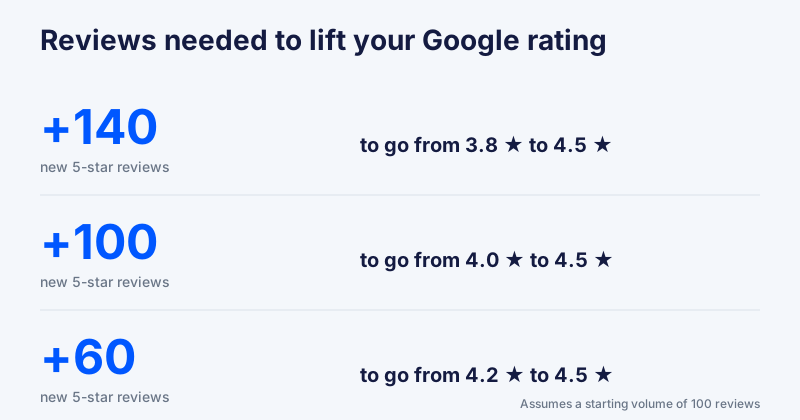
Your star rating, review count, review recency, and owner responses all help people decide whether your business looks active, reliable, and worth choosing. If you want to see how many reviews it takes to lift your average, run the numbers with our free Google Review Calculator.
A business with recent, detailed reviews often feels more credible than one with an old rating and little visible activity.
For multi-location businesses, reviews matter even more. Each branch has its own public reputation, and weak review activity at one location affects the whole brand. This is why solid Google reputation management is now a core local marketing function, not a side task.
Here’s what they do for your businesses:
- Build trust with new customers
- Improve click-through from Google Search and Maps
- Strengthen local SEO signals
- Show proof of real customer experiences
- Collect useful feedback about service, staff, products, and locations
- Compete against nearby businesses with stronger review profiles
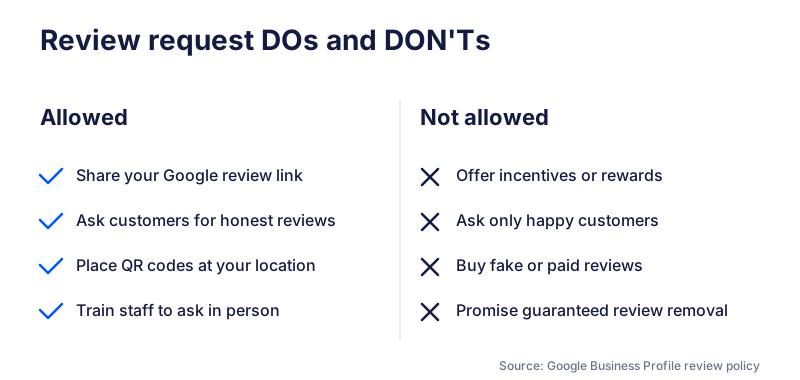
Note: Google allows businesses to ask customers for reviews through a review link or QR code, but prohibits incentives, fake engagement, and pressure for only positive reviews. See Google Business Profile review guidance and Google Maps user-generated content policy.
How to get more Google reviews: 15 proven methods
Here are 15 effective methods for getting more Google reviews:
- Claim and optimize your Google Business Profile
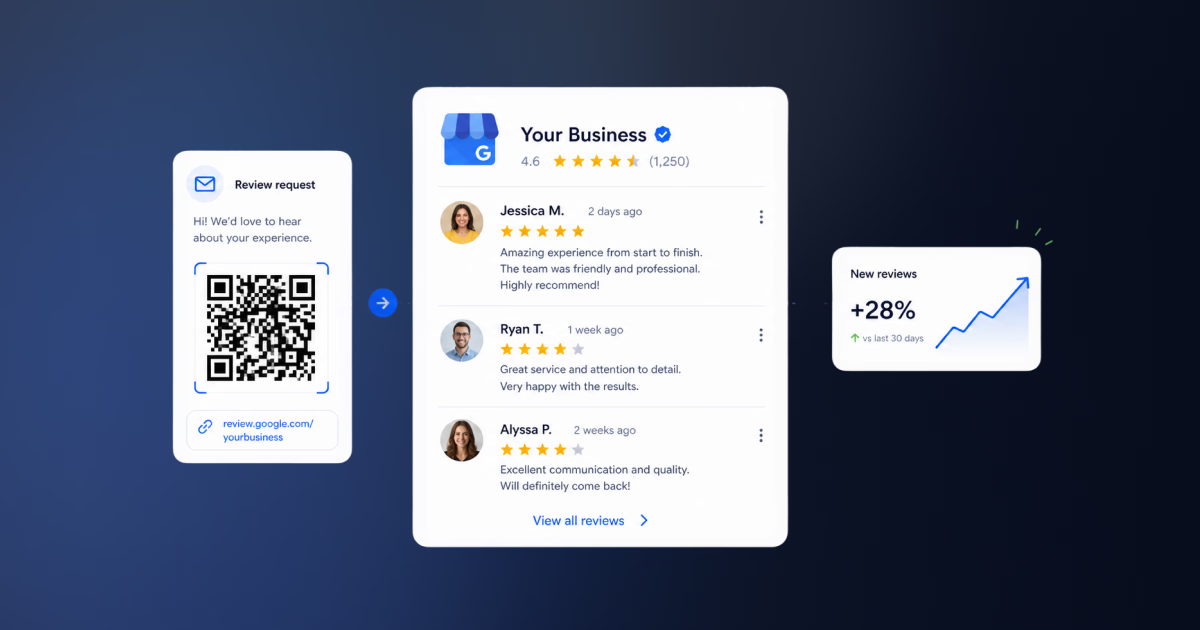
- Create your Google review link
- Turn your review link into a QR code
- Ask customers in person after a positive experience
- Send SMS review requests
- Send email review requests
- Add review requests to receipts and invoices
- Add a Google review CTA to your website
- Use post-appointment or post-purchase follow-ups
- Train employees to ask for reviews naturally
- Use review request templates by industry
- Ask for reviews after customer support resolutions
- Collect reviews across multiple locations
- Automate your review request workflow
- Respond to reviews to encourage more feedback
1. Claim and optimize your Google Business Profile
Before you ask for more Google reviews, make sure your Google Business Profile is claimed, verified, and complete.
Customers are more likely to review a business that looks active and legitimate. Add accurate business details, opening hours, categories, services, photos, website links, and location information. If your profile looks incomplete, customers may hesitate to interact with it. Follow Google Business Profile management best practices so every section is filled in and consistent across locations.
2. Create your Google review link
Your Google review link sends customers directly to the review form for your business. This removes friction because customers do not have to search for your profile, open the reviews tab, and figure out where to click.
You can find your review link inside your Google Business Profile by selecting the option to get more reviews or ask for reviews. Google also lets you share this link directly with customers.
If you prefer to skip the Business Profile steps, the Google Review Link Generator creates a clean review link from your Place ID in seconds.
3. Turn your review link into a QR code
A Google review QR code is useful for in-person businesses like restaurants, salons, clinics, gyms, hotels, retail stores, and service counters.
Customers scan the code and land directly on your Google review form. This works especially well when the customer is still physically present and the experience is fresh.
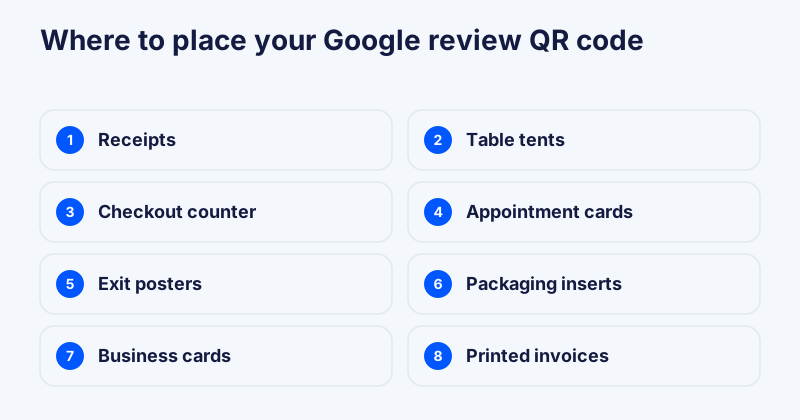
Place QR codes on receipts, table tents, checkout counters, appointment cards, posters near exits, packaging inserts, business cards, and printed invoices.
4. Ask customers in person after a positive experience
In-person requests are powerful because they feel natural and personal. The best moment is usually right after a customer expresses satisfaction, thanks your team, compliments the service, or completes a successful visit.
A simple request works best:
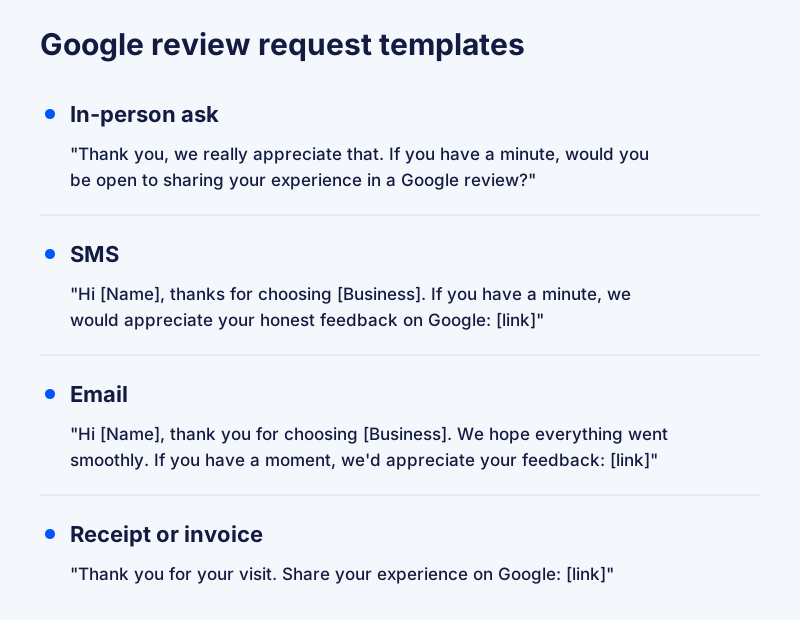
Thank you, we really appreciate that. If you have a minute, would you be open to sharing your experience in a Google review?
5. Send SMS review requests
SMS can work well because it is direct, short, and easy to act on from a phone. It is especially useful for appointments, home services, healthcare, restaurants, salons, and local service businesses.
Hi [Name], thanks for choosing [Business]. If you have a minute, we would appreciate your honest feedback on Google: [link]
6. Send email review requests
Email is useful when customers need more context or when the purchase journey is more detailed. It works well for B2B services, agencies, clinics, consultants, hotels, and higher-consideration purchases.
Hi [Name], thank you for choosing [Business]. We hope everything went smoothly. If you have a moment, we would appreciate your honest feedback in a Google review: [link]
7. Add review requests to receipts and invoices
Receipts and invoices are natural places to ask for reviews because they appear right after a transaction. You can include a short line of copy with your review link or QR code.
Thank you for your visit. Share your experience on Google: [link]
For digital invoices, include both a clickable link and a QR code. For printed invoices or receipts, make sure the QR code is large enough to scan easily.
8. Add a Google review CTA to your website
Your website can help customers find your Google review link after a visit, appointment, or purchase. Add a review CTA to relevant pages like the contact page, thank-you page, location pages, customer support page, post-purchase page, and appointment confirmation page.
Keep the CTA simple: “Had a good experience with us? Share your feedback on Google.”
9. Use post-appointment or post-purchase follow-ups
The best time to ask for a Google review is usually soon after the customer experience. For many businesses, that means within a few hours or days of the appointment, purchase, visit, delivery, or completed service.
Good trigger points include completed appointments, successful deliveries, hotel checkouts, resolved support issues, picked-up orders, and completed service jobs.
10. Train employees to ask for reviews naturally
Your team should understand when and how to ask for reviews. This is especially important for businesses where customer interactions happen face to face.
Train employees to ask at the end of every completed visit, appointment, purchase, or service interaction, not only when a customer seems happy. Asking every customer keeps the process consistent and avoids selectively soliciting only positive reviews, which Google prohibits.
11. Use review request templates by industry
Different industries need different review request language, so it helps to start from proven templates for asking for reviews. A restaurant, dental clinic, law firm, hotel, gym, and home service business should not all use the same script. Sharing a few good review examples for their industry also helps customers picture what a useful review looks like.
For example, a dentist might ask:
Hi [Name], thank you for visiting [Clinic]. If you feel comfortable sharing your experience, we would appreciate your feedback on Google: [link]
A home service business might ask:
Hi [Name], thanks for trusting [Business] with your service today. Your feedback helps other local customers find us: [link]
12. Ask for reviews after customer support resolutions
A support resolution is a strong moment to ask for a review, especially if the customer is relieved, thankful, or happy with the outcome.
This works because the customer has just experienced your business solving a problem, which can lead to detailed and meaningful feedback.
I’m glad we could get that sorted for you. If you have a moment later, we would really appreciate your honest feedback on Google: [link]
13. Collect reviews across multiple locations
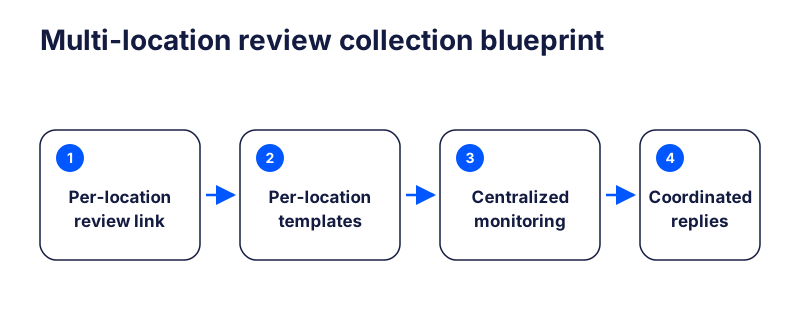
For multi-location businesses, review generation needs a consistent process across every branch. Otherwise, some locations will build strong review profiles while others fall behind.
Each location should have its own Google review link, clear ownership for review requests, location-specific request templates, a process for tracking review volume and rating trends, and guidelines for responding to new reviews.
14. Automate your review request workflow
Manual review requests are easy to forget. Automation helps businesses ask consistently after the right customer moments.
You can automate review requests after appointments, purchases, completed jobs, deliveries, checkouts, and support resolutions. Pair the request flow with an auto-reply setup so incoming reviews get acknowledged quickly without manual work.
For multi-location brands, automation is especially useful because it keeps review generation consistent across many teams and branches.
15. Respond to reviews to encourage more feedback
Responding to reviews shows customers that feedback matters. It also makes your Google Business Profile look active and cared for.
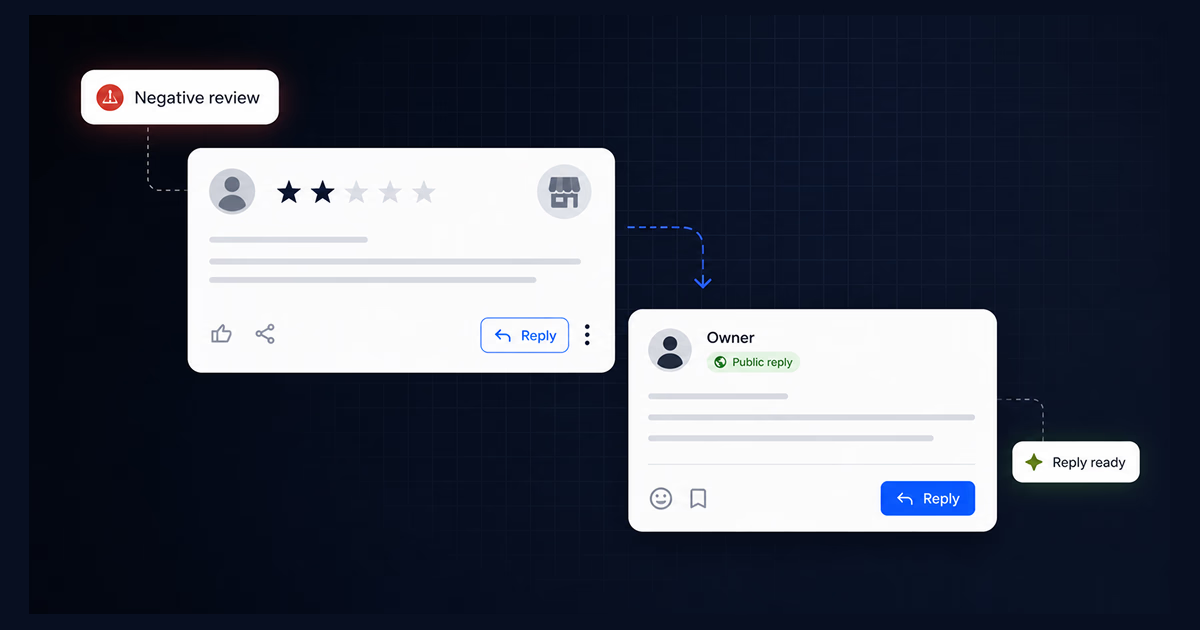
Reply to positive, neutral, and negative reviews. Thank customers for positive feedback, address concerns calmly, and move sensitive issues offline when needed. If you’re not sure what to write, Google review response examples give you ready-to-use templates for common situations.
How to manage Google reviews for multi-location businesses?
Getting more Google reviews is only one part of review management. Once reviews start coming in, your business needs a process for monitoring, replying, analyzing, and learning from them.
Good Google review management includes tasks such as:
- replying to new reviews quickly,
- prioritizing negative or urgent reviews,
- keeping responses professional and on-brand,
- tracking review trends by location,
- identifying recurring complaints,
- using positive reviews as social proof, and
- reporting fake or policy-violating reviews.
For a single-location business, this may be manageable inside Google Business Profile.
For agencies, franchises, and multi-location brands, it usually becomes harder because teams need visibility across many profiles. A clear monthly review report helps surface trends per location, flag underperformers, and assign next actions.
How to remove Google reviews you disagree with?
You cannot remove a Google review just because it is negative. Honest customer feedback should usually be answered, not deleted.
However, you can report reviews that violate Google’s policies, such as reviews that are fake, spammy, offensive, irrelevant, or based on conflicts of interest.
Common reasons to report a Google review include fake or spam content, harassment or hate speech, personal information, off-topic content, conflicts of interest, impersonation, and reviews from people who did not have a real customer experience.
If the review is legitimate but negative, the better approach is to respond calmly, acknowledge the issue, and offer a next step.
Get more Google reviews with Localith!
Ultimately, if you rely on full Google Business Profile management tools like Localith, you will get all the reviews management features you need to handle all your Google locations.
That alone will help you get more reviews. With it, you can:
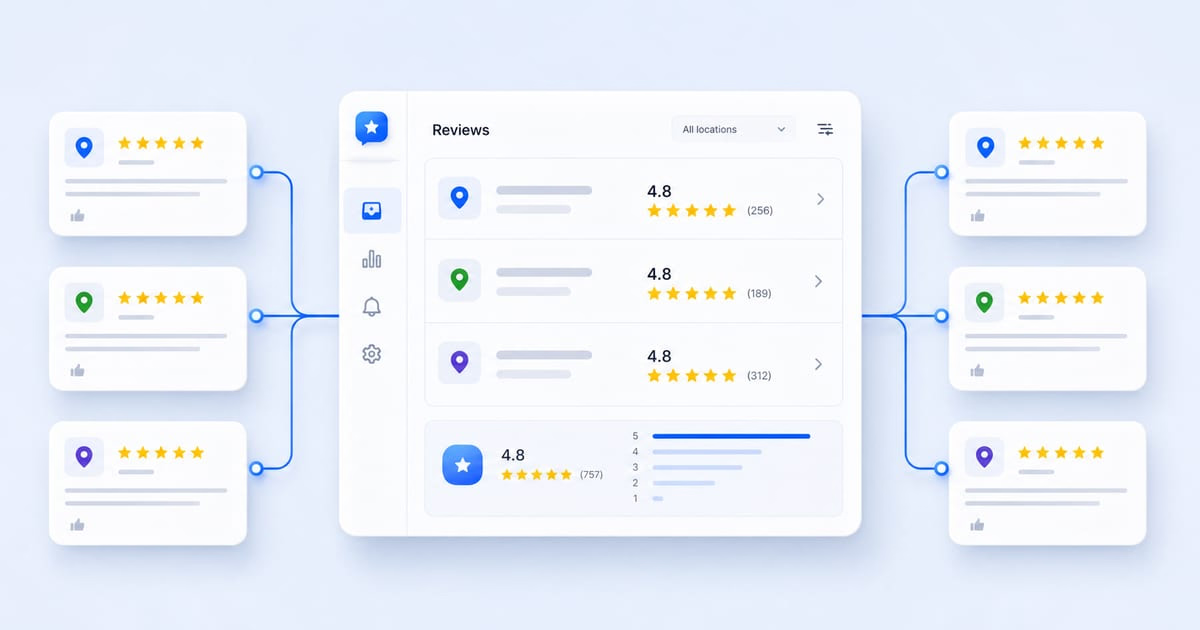
- Aggregate reviews from multiple Google business profiles in one place
- Respond to all unanswered Google reviews using advanced AI reply agents
- Set up automations to send out automated review replies
- Analyze the feedback you receive to see your customers’ sentiment
- Schedule Google posts to reach more local customers
- Download your Google reviews data for thorough analysis


Manage Google reviews for all your locations from one dashboard. Centralize replies, automate with AI, and track review trends across every branch.
Start free trialConclusion: Get more Google reviews to boost your online image!
The best way to get more Google reviews is not to wait and hope customers remember. Build a simple, repeatable, policy-safe process that makes it easy for real customers to share honest feedback.
Start with your Google Business Profile, create your review link, add QR codes where they make sense, train your team, use SMS and email follow-ups, and automate the workflow once review requests become too easy to forget.
For multi-location businesses, the goal is not just more reviews. It is consistent review growth across every location, with clear ownership, fast replies, and better visibility into what customers are saying. Start a free 7-day trial of Localith to centralize review collection, replies, and reporting across every Google Business Profile you manage.