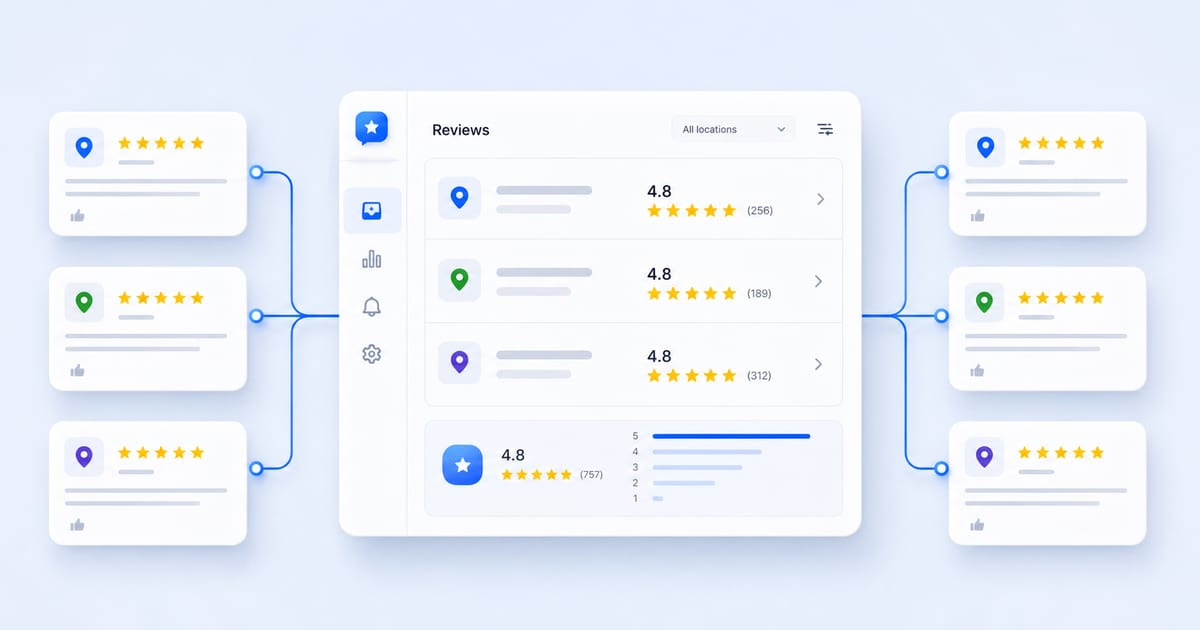


A Google review aggregator pulls your scattered Google reviews into one place, so you can use them wherever you need them: your website, reports, response workflow, and more.
That means you no longer need to check and respond to Google reviews manually, profile by profile.
If you have heard the term and want to know exactly what it means for Google reviews specifically (not a generic multi-platform tool), this is that explainer.
We will cover what it is, how it works, what it solves, what it honestly does not, and how to set one up. You will also see how an AI reviews reply agent can handle the next step in managing your reputation on Google.

Manage Google reviews for all your locations from one dashboard. Centralize replies, automate with AI, and track review trends across every branch.
Start free trialWhat is a Google review aggregator?
A Google review aggregator is a tool that pulls Google reviews from their source into one place for display, reporting, or response management.
It replaces the time-consuming process of checking each Google Business Profile manually.
The concept stripped to its core is simple: it gives you a different way to access and use reviews that already exist on your Google Business Profile. It does not create a fundamentally different kind of review.
What “one place” means in practice:
- Showing real reviews on your website automatically
- Compiling them into a report your team can act on
- Surfacing them somewhere you already look every day
Google-specific vs. multi-platform aggregators
“Review aggregator” sometimes describes tools that pull from Google, Yelp, Facebook, and several other platforms at once. That is a real category, but it is broader than what we cover here.
Tip: For most local businesses, Google is where the majority of reviews land and where customers check before visiting. A tool built specifically around Google review data can be more useful than a generic multi-platform tool that gives every source equal weight.
How does a Google review aggregator work?
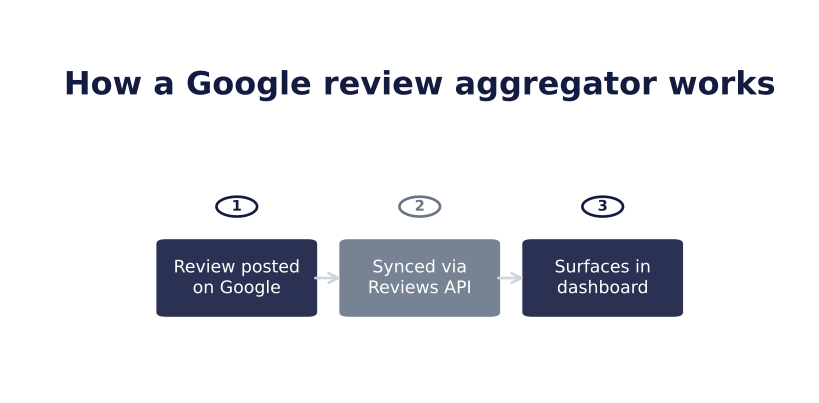
Localith (and most other Google review aggregators) connects to your Google Business Profile, syncs review data on an ongoing basis, and surfaces it somewhere useful, such as a unified dashboard or actionable report.
The technical connection point
Most aggregators, including Localith, connect through the Google Reviews API. It is the reliable way to pull review data, as opposed to scraping a page, which can break and goes against Google’s terms.
Once connected, new reviews flow through automatically. This is the typical process:
- A customer leaves a review.
- The aggregator picks it up on its next sync.
- The review is added to the review library.
- The user can read, respond to, or analyze the review.
What data comes through?
Beyond the star rating and text, most aggregators pull:
- Reviewer name and review date
- Images connected to the review
- The business response
- Data you can filter by star rating, keyword, or recency
Tip: Filtering matters if you want a representative testimonials section without leaving it entirely unmoderated. Showing every review indiscriminately is not always the right choice.
What does a Google review aggregator solve?
For a business that depends on its Google Business Profile, the practical value shows up in several places:
- Social proof. Seeing your Google reviews in one place is the most visible win and the one that most directly affects whether a visitor converts.
- Time savings. There is no manual per-location checking, which matters enormously once you manage more than one profile. A five-minute daily habit for one location becomes an unmanageable checklist across ten.
- Reputation visibility. You see new reviews as they arrive and can respond faster instead of discovering a bad review three weeks later. Feeding those reviews into review reporting turns individual feedback into trends you can act on.
- Valuable business insights. Aggregated data across dozens or hundreds of reviews reveals patterns that one-by-one reading will not: recurring complaints, standout service moments, and locations trending up or down.
- Increased customer engagement. Real, current reviews invite more interaction. Visitors read more, trust more, and are more likely to leave a review when they see that others receive answers.
The core problem it solves: Your reviews already exist, but they are functionally invisible unless someone remembers to look for them.
What does it not solve?
Aggregation surfaces reviews; it does not fix the quality or volume of those reviews. If a business has few reviews or a genuine quality problem, an aggregator makes that reality visible faster. It does not make it better.
Tip: That is a review-generation problem, not an aggregation problem. Be clear about which problem you have before expecting an aggregator to solve it.
Google’s API and display terms and rate limits also apply. Sync delays of a few minutes to a few hours are normal and expected, not a sign that the tool is broken.
Aggregation by itself provides visibility, not a response strategy. A basic aggregator surfaces a review faster, but it does not answer it.
That is true of aggregation as a category, but not necessarily of every tool built on top of it. Localith’s AI Reply Agent closes this gap by drafting (or sending, depending on your settings) responses to incoming reviews, so the work is not left entirely to a person.
Tip: Aggregation and response are two different jobs. A tool that only aggregates still leaves responses up to you. Localith combines both, which is also why increased customer engagement appears among the benefits above.
Businesses get the least value when they treat either job as fully passive. Aggregation still needs someone to decide where reviews should surface, and AI-drafted replies still benefit from a quick human check before publication.
How to set up Localith to aggregate and manage Google reviews
Localith is built specifically to handle official Google Business Profile data obtained through the Google Reviews API. Here is how to set it up correctly:
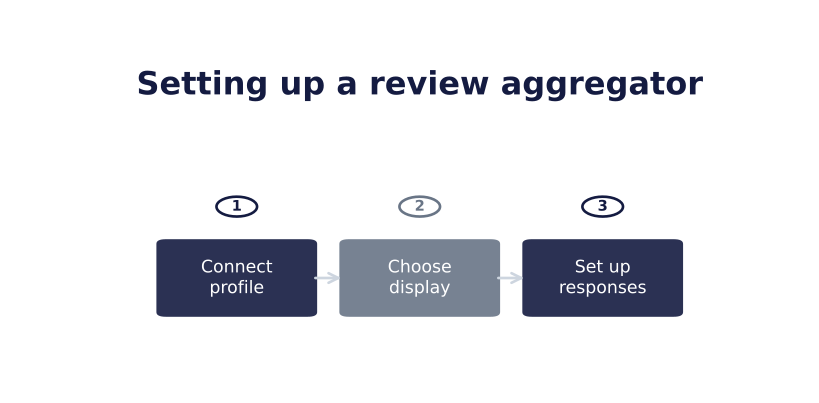
1. Connect your Google Business Profile
Under Listings, select Google accounts and connect the Google account that manages your Business Profile. All listings connected to that profile will then load into Localith.

2. Find all your reviews
Go to Reviews, then select All reviews. Feedback from all your locations is aggregated here, and you can filter it by recency, listing, date, and more.

3. Set up your AI review reply agent
In the same Reviews section, select AI agents to create a new reply agent. You can then customize and use the agent under Automations.

4. Get insights from your feedback
Generate insights under Reports. Select Reviews metrics or Export reviews to download either a visual PDF report or raw CSV data with an overview of your recent feedback.

If you are comparing options first, our roundup of Google Business Profile management tools covers the wider landscape. The Google Business Profile dashboard is where aggregated data lives day to day.
Stop checking Google reviews by hand
A Google review aggregator does one job well: it takes reviews that already exist on your Google Business Profile and puts them somewhere you will actually see and use them.
It will not fix a review-quality problem, and it is not a substitute for responding to incoming feedback.
But for the common problem of reviews being real yet invisible unless someone remembers to check, it is a genuinely useful fix.
Explore Localith’s plans to see how it handles Google review aggregation, responses, and reporting. Then keep building your review volume with our guide to getting more Google reviews.

Turn Google review activity into reports your team can act on. Use Localith to compare locations, export review reports, track response activity, and surface the patterns behind rating changes.
Start free trial