New Announcing Reports Library
Localith
vs
Local Viking
Compare your Google profile workflow

A Local Viking alternative for everyday GBP work

Manage Google profiles, draft review replies, schedule posts and check location performance in Localith. Compare the tools your team uses, then try the workflow on selected locations before switching.

  • Connect existing Google profiles and choose which locations to manage
  • Draft a review reply and check the wording before publishing
  • Compare location costs, AI usage and the reports you need

Rachel Localith customer Manuel Localith customer Anne Localith customer Sandra Localith customer

100+ brands trust Localith

Before you choose

Match the software to the work you need done

Both platforms cover Google Business Profile management software operations. The useful comparison is your posting, review, reporting and location workload, including the features you need to keep.

Check the daily workflow

Compare listing updates, bulk profile updates, scheduled posts and AI-assisted replies. If you are comparing multiple tools, explore our BrightLocal alternative breakdown, or see how Localith review automation handles your conditions and tone.

Calculate costs for your locations

Localith starts at $9/month for two locations, plus $6.60 per additional location and $0.15 per AI credit. Use the Localith calculator and check current Local Viking plans with the same location count, billing term and scan needs.

Keep your reporting requirements visible

Local Viking documents scheduled white-label reporting. Localith offers PDF and CSV exports, but no native logo upload or white-label report export. Check a sample before changing your reporting workflow.

Side-by-side checks

Compare costs, review tools and reporting

Compare the same location count and workload. Confirm current plan allowances with each provider; a base subscription and an agency plan are not equivalent.

Localith
Local Viking

Location pricing and usage

Compare location counts, billing terms and AI or scan allowances.

$9/mo, 2 locations

$9/month includes 2 locations, then $6.60 per extra location. 10 locations is $61.80/month. AI credits cost an additional $0.15 each; the 7-day trial includes 100 credits.

See plans

Check current plans

Confirm current location limits, GeoGrid credits and billing terms with Local Viking. No like-for-like price advantage is assumed.

Built specifically for Google Business Profiles

Is the product designed around the GBP workflow or bundled into a broader suite?

Every workflow is shaped around the GBP API and multi-location local SEO.

Local Viking is strongly GBP/GMB-focused, with posting, location management, review management, GeoGrid tracking, and listing protection.

AI-assisted review replies

Check drafting, editing and automation settings with your own reviews.

AI reply workflows with configurable review conditions, tone and language. Check approval settings before enabling automation.

See AI replies

The official Review Tool guide describes generating an AI reply, editing it and submitting it. Confirm the automation controls your team needs.

Local SEO heatmaps per location

Visualize visibility across neighborhoods and search points.

Per-location heatmaps across thousands of search points, with competitor overlays.

See heatmaps

GeoGrid rank tracking is one of Local Viking's strongest known features.

Bulk Google posts publishing

Schedule posts across hundreds of locations from one workflow.

Smart Parameters personalize each post by location, with bulk photo uploads.

Local Viking supports scheduled posts, recurring posts, multi-location posting, spintax, and related GMB post workflows.

Trial and signup terms

Check what you can evaluate before committing.

Seven-day free trial with 100 AI credits. Connect selected Google profiles and test a workflow.

Start free trial

Verify terms

Check current signup, trial and refund terms directly with Local Viking before subscribing.

Native branded reports

Do you need the software to produce reports with your own branding?

PDF and CSV exports are available, but no native white-label report export, logo upload or branded client portal.

See report exports

Local Viking documents scheduled white-label reporting with branding options. Confirm the required plan and delivery settings.

Best fit

Who each tool is actually built for day to day.

GBP-first teams

Agencies, franchises, and multi-location operators that run local SEO every day.

Agencies

Agencies that want classic GMB post scheduling, GeoGrid tracking, and listing protection inside a dedicated Local Viking workflow.

Inside the workspace

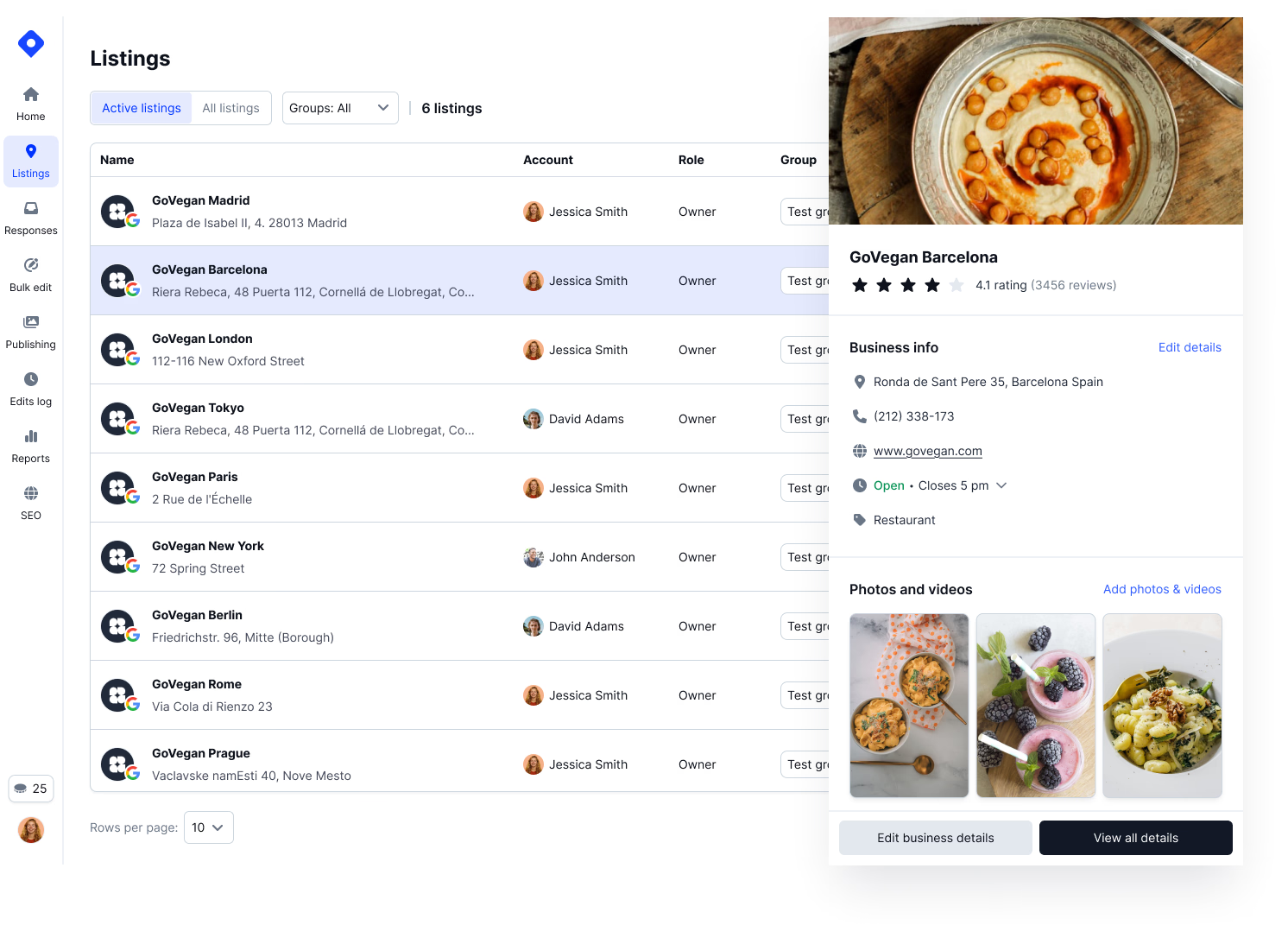
Run listings, reviews and publishing in one place

Use your own selected Google profiles to check how each workflow fits the work your team repeats.

Bulk GBP work

Simplify multi-location GBP management

Localith focuses on turning the whole GBP workflow into one manageable system for updates, reviews, posts, audits, and reporting.

  • Update core profile details across locations from one workspace
  • Keep GBP work visible to operators, clients, and internal teams
  • Reduce repeated account switching when managing many locations
Localith multi-location Google Business Profile platform
Review workflows

Automate review replies without losing control

Configure review conditions, tone and approval settings, then check generated replies before enabling an automation.

  • Draft replies quickly while keeping the final say with your team
  • Check how sensitive reviews are handled before enabling automatic replies
  • Keep review response work consistent across locations
AI review reply workflow in Localith
Local SEO audits

Find local SEO issues before rankings slip

Localith pairs heatmaps with AI audits so teams can see ranking gaps and identify profile actions that may help each location perform better.

  • Run AI-supported audits across every managed GBP
  • Prioritize weak locations, missing profile details, and local visibility gaps
  • Explain what changed and why in terms clients can understand
Local SEO audit insights in Localith
Bulk publishing

Publish Google posts across locations faster

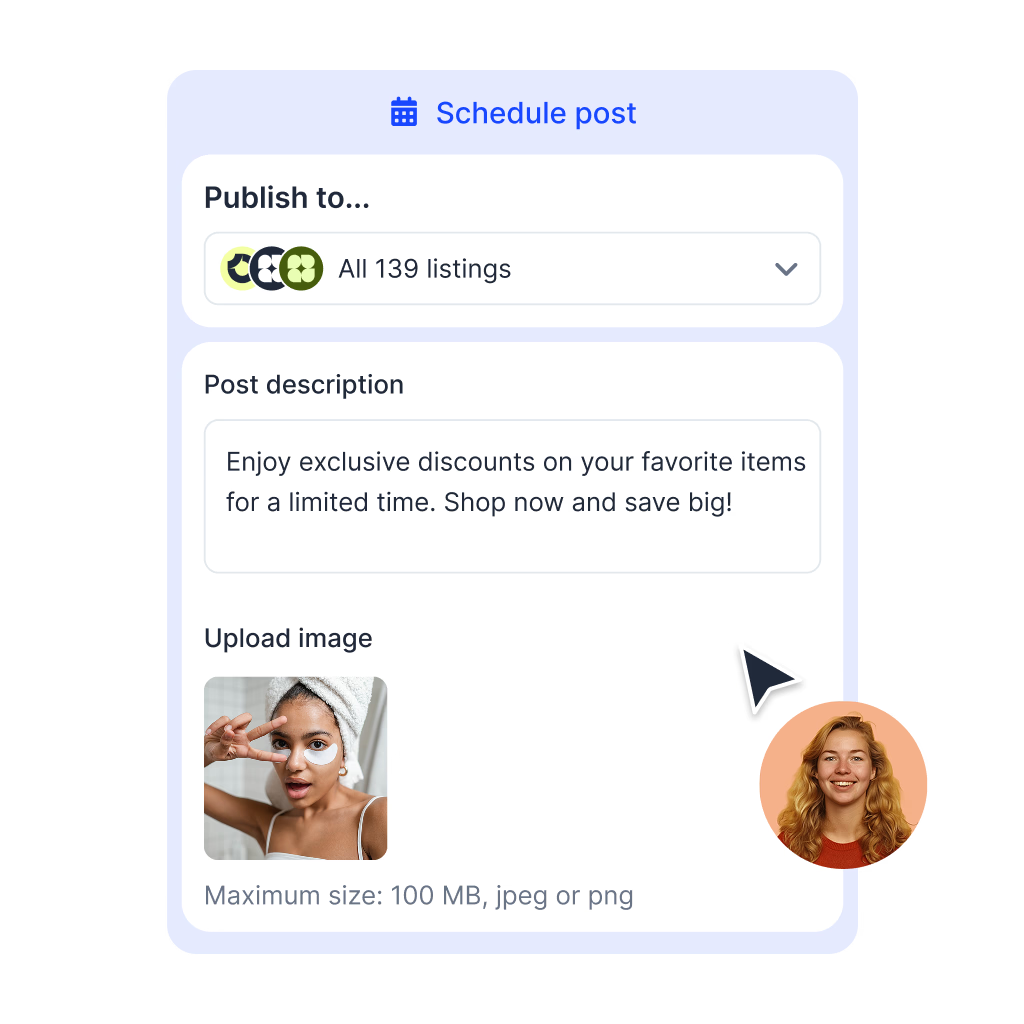
Localith keeps Google Posts connected to the same workflow teams use for reviews, profile updates, audits, heatmaps, and reporting.

  • Create one post workflow for many selected locations
  • Keep profile activity consistent without rebuilding updates manually
  • Support campaigns, offers, events, and recurring local content
Bulk Google posts publishing in Localith
Local SEO heatmaps

Use heatmaps to see where each location ranks

Localith gives GBP teams heatmaps that sit alongside audits, reviews, posts, and reports, so visibility data leads to action.

  • Review ranking patterns by keyword, area, and location
  • Spot where competitors are stronger in the map pack
  • Use heatmap gaps to guide profile optimization work
Localith local SEO heatmap reports
Reporting

Generate clearer reports for clients and operators

Review location performance in the dashboard and export the available figures as PDF or CSV for your team.

  • Check available metrics and date ranges for selected locations
  • Export a sample and compare it with your reporting requirements
  • Keep old vendor reports if you need earlier performance history
Localith reporting exports for clients
Why Localith

Why choose Localith over Local Viking

Experience

Built by a team with years of working with Google Business Profile APIs, multi-location workflows, and local SEO needs.

Compliance

Maintains direct API-based workflows for managing Google Business Profile data safely and consistently across locations.

Limitless

Manage all your Google Business Profile locations from one place without switching between dashboards or location accounts.

More sources

Monitor and manage Google reviews across multiple business locations from one centralized platform.

Future focused

Uses AI tools like AI review replies, AI local SEO audits, and location-level recommendations to speed up daily GBP work.

User friendly

Designed for teams that need a clear, practical workspace for listings, reviews, posts, rankings, and reports.

Quick to start

Connect your Google Business Profiles in minutes and run your first bulk updates the same day. No sales demo required.

Compatible

Works for agencies, franchises, multi-location brands, service businesses, clinics, restaurants, and retail chains managing GBP at scale.

Reliable support

Get help from a team that understands Google Business Profile management, local SEO, and multi-location operations.

Your first session

Test one workflow before committing

The seven-day trial includes 100 AI credits. Start with selected Google profiles and check settings before publishing or enabling automation.

Connect selected profiles

Use the Google account authorized to manage your locations. Select the profiles you want to test and check the imported details.

Check a draft response

Generate a reply for a review and assess its wording. Confirm tone and approval settings before enabling automatic responses.

Inspect the available report

Check metrics, dates and export format against your current requirements. Keep earlier vendor reports and scans; their history is not transferred by connecting Google.

Localith team supporting agencies and multi-location brands through the migration
Connect through Google

Try selected profiles before changing tools

Authorize Localith through the Google account that manages your profiles, then select the locations to connect. This is not an import of Local Viking scan history or reports. Save the records you need and check available data before cancelling another service.

  • Start with selected profiles, then add more when ready
  • Keep historical reports from your current provider
  • Check automation rules before enabling replies
Common questions

Frequently asked questions

Consider Localith if your daily work is managing Google profiles, updating listings, handling reviews, scheduling posts and reviewing location performance. Test your required workflow on selected profiles before switching.
Yes. Its official Review Tool guide describes generating an AI response, reviewing and editing the draft, and submitting it. Compare the automation and approval settings you need rather than assuming AI replies are exclusive to either platform.
Use the same number of locations and billing period, then check AI usage, GeoGrid scan allowances and reporting requirements. Localith costs $9/month for two locations plus $6.60 per additional location. AI credits cost $0.15 each. Confirm current Local Viking prices and allowances directly.
Do not assume vendor history transfers. Connect your Google account and select the profiles Localith can access. Keep exports of earlier reports and scans from your current tool. Localith report exports do not include performance history from before a location was connected.
Localith offers PDF and CSV performance exports, but no native white-label export, logo upload or branded client portal. Local Viking documents scheduled white-label reporting. Check this requirement before replacing your existing reporting setup.
Connect selected Google profiles, check their details, generate and review an AI reply, and inspect the available performance report. The seven-day trial includes 100 AI credits. Confirm settings before publishing posts or enabling automatic replies.

See how Localith handles your Google profiles

Start with selected locations. Check a review draft, a post and a performance report against the work your team needs to do.

7-day trial with 100 AI credits. Paid AI usage is charged separately.

Localith dashboard managing multiple Google Business Profiles