
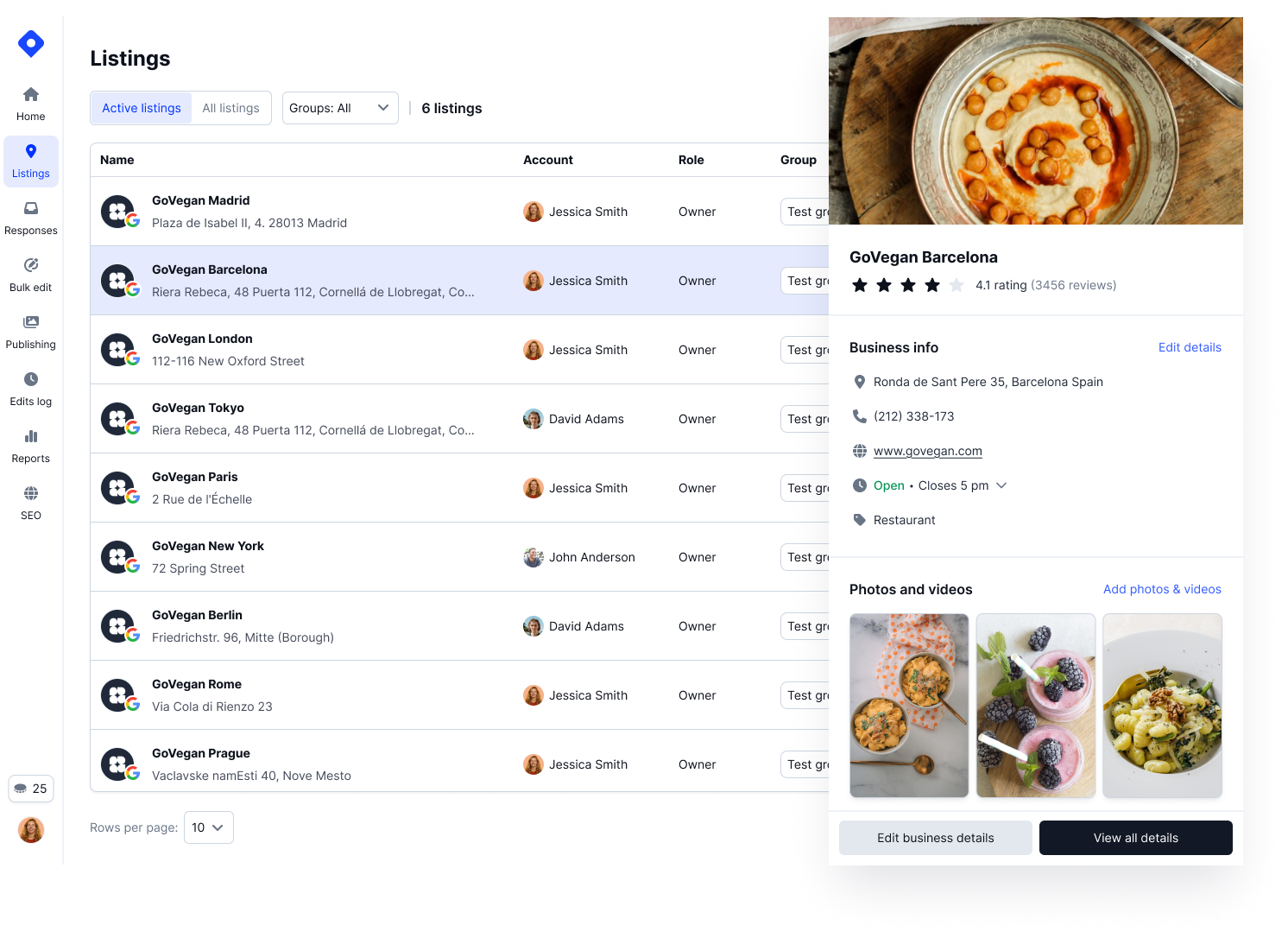
Manage all your Google Business Profiles from one place.
Welcome to the Localith Quickstart Guide! This guide will help you set up your account, connect your Google Business Profiles, and start managing all your locations effortlessly. Whether you’re an agency or a multi-location brand, Localith helps you centralize updates, reviews, and insights — all in one powerful dashboard.
Prerequisites
Before you begin, make sure you have the following ready:
- A Google account with access to your Business Profiles
- Permission to manage one or more Google Business locations
- A Localith account (sign up for a free trial if you don't have an account yet)
Step 1: Create a Localith Account
Go to localith.ai and click Start free Trial. You can register using your email or connect directly with your Google account.
Step 2: Grant Permission to Access Google Business Profiles
After signing up, Localith will prompt you to connect your Google account. Approve the access request to allow Localith to securely fetch your Google Business data through Google’s official API.
- Access to your locations
- Read and update business information
- Manage reviews and posts
- View insights and performance metrics
Step 3: Select Locations to Manage
Once permissions are granted, Localith will display all the Google Business Profiles linked to your account. Select the locations you want to manage, and they’ll automatically appear in your dashboard.
You can add or remove locations anytime from the Listings tab.
Step 4: That’s it!
Your setup is complete! 🎉 You’re now ready to manage updates, reply to reviews, and analyze performance across all your stores — all from one central hub.
Key Features
Now that your profiles are connected, let’s explore the core features you’ll use every day.
Dashboard
The Dashboard gives you a full overview of your connected locations:
- View your overall location health score
- Track published posts and total reviews
- Monitor performance trends across all profiles
Your central view of all connected Google Business Profiles.
Managing Reviews with Responder
- View all Google reviews in one place
- Use AI to write personalized, on-brand replies
- Filter by rating, location, or response status
- Respond instantly and maintain consistent engagement
- Activate automation to respond to reviews aith AI agent
Bulk Edit and Edit Logs
- Make updates across multiple listings at once:
- Change business hours, descriptions, or categories in one click
- Apply edits in bulk and save hours of manual work
- Review every change in Edit Logs for transparency
Publishing Posts Across Locations
- Share news, offers, and events to all your Google listings simultaneously.
- Schedule posts in advance or automate recurring updates for specific campaigns.
Reports and SEO Insights
- Generate visual reports with analytics, reviews, and engagement metrics
- Export data to PDF or CSV for easy sharing
- Track local SEO performance and visibility by location
Multi-User Access
- Invite team members, franchise managers, or clients.
- Assign permissions by role or location for secure collaboration.
AI-Powered Agents
- Let AI handle repetitive work - like replying to reviews, creating audits, or providing actions that will have the biggest impact on your profile SEO optimisation.